What should I do when my server is having performance problems?
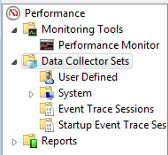
Click Start/Run and type 'perfmon'. Press enter to launch the Performance Monitor window. Next, Select Data Collector Sets under the Performance parent folder.
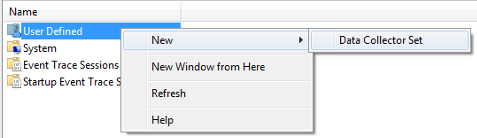
Right-click User Defined, then hover the mouse over 'New' and 'Data Collector Set'; click 'Data Collector Set' to create.
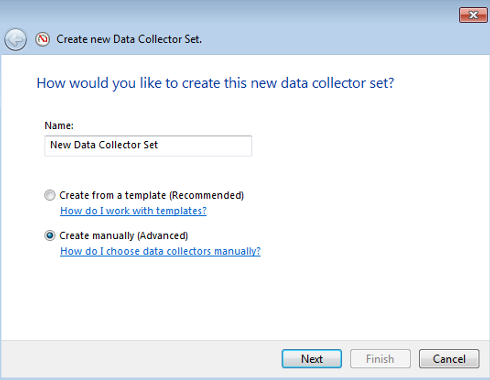
Select ‘Create manually (Advanced) and type a name for the data collector set (for example: Baseline). Click Next.
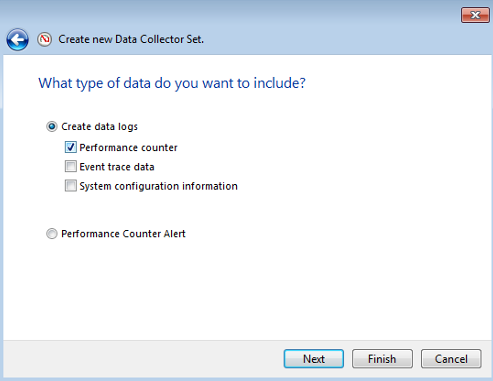
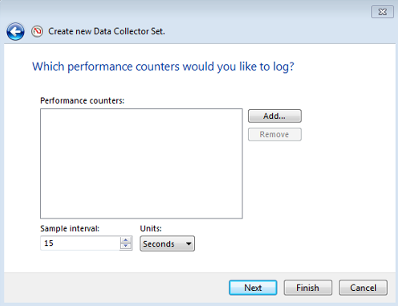
Select Create data logs and check the Performance counter checkbox. Click Next.
Click Add.
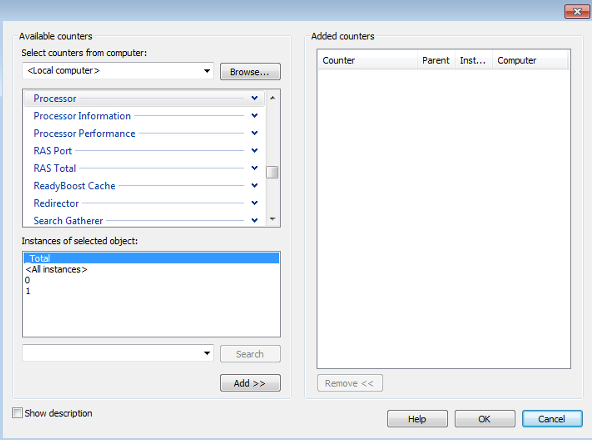
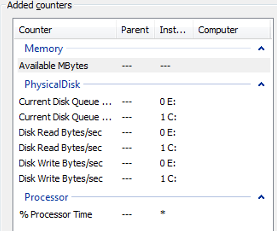
Select Processor; launch the dropdown menu and select % Processor Time. Under the ‘Instances of selected object:’ box select <All instances> (do not select Total). Click Add.
Select Memory; launch the dropdown menu and select Available Mbytes. Click Add.
Select Physical disk; launch the dropdown menu and select Current Disk Queue Length, Disk Read Bytes/sec, and Disk Write Bytes/sec. Under the ‘Instances of selected object:’ box hold CTRL and select each individual drive (do not select <All instances>).
Click Add, then click OK.
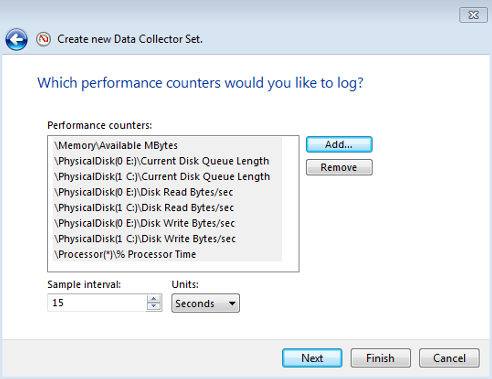
Change Sample interval to 5 seconds. Click Next.
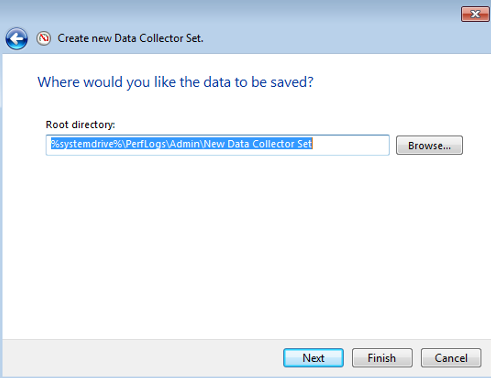
Take note of the Root directory, or change to a desired directory.
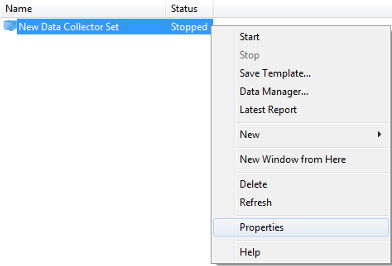
Right-click the new data collector set and select Properties from the dropdown.
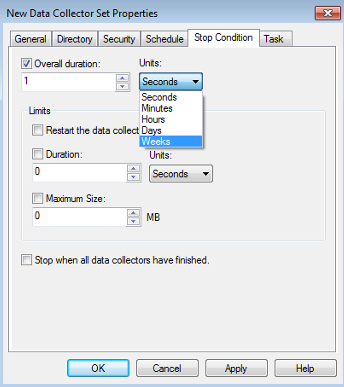
Click the Stop Condition tab. Check the Overall duration checkbox; change Overall duration to One Week. Click Apply then click OK.
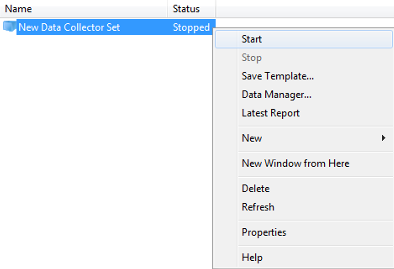
Right-click the new data collector set; click Start.

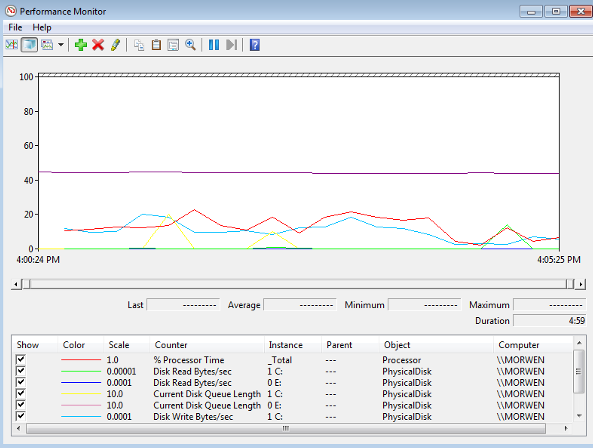
After 1 week check the root path folder for the performance monitor document:
Related Articles
Terminal server is connecting to the wrong database?
Terminal server connects to wrong database in case of server cloning. Checks: Check db config Check the dbo.json files Check api root: http://zarkvs01/Arkieva/api/v1/config/databases Check config files on terminal server At a client, first we had ...I'm not seeing any databases in the Arkieva Server Selection API?
If you're not seeing any databases in the Arkieva Server Selection API, first check if the Database Discovery Is running. If the service is running but you still cannot see the databases, check the zemeter.config file. Inspect the value for the API ...'Not enough quota is available to process this command' error?
Restart the server this installation of Arkieva is on. This should fix the issue.I'm getting an error when opening the override report?
You must add the service account to the Admin group (previously in a Monitor Group) and restart the application server.Database 'master' error when generating upgrade script?
Create Database permission denied in database 'master' error when generating upgrade script occurs when the user does not have sufficient rights on the server.