Planning Grid tab
Time Horizon
The planning horizon is along the top of the Planning Grid spreadsheet. The planning horizon information is pulled from a table in Arkieva. You can view the table name by clicking a time bucket cell.

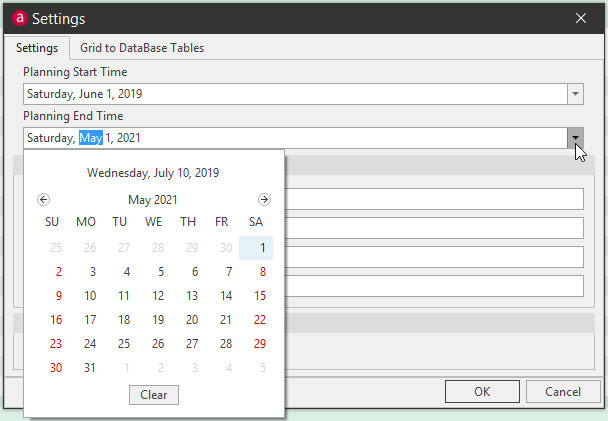
Time Horizons can be different between the Planning Grid and the Work bench tab. To access the Settings, first click the Design button to expand the ribbon.

Go into the Settings and use the calendar dropdowns to align the time horizons of the planning grid and work bench.

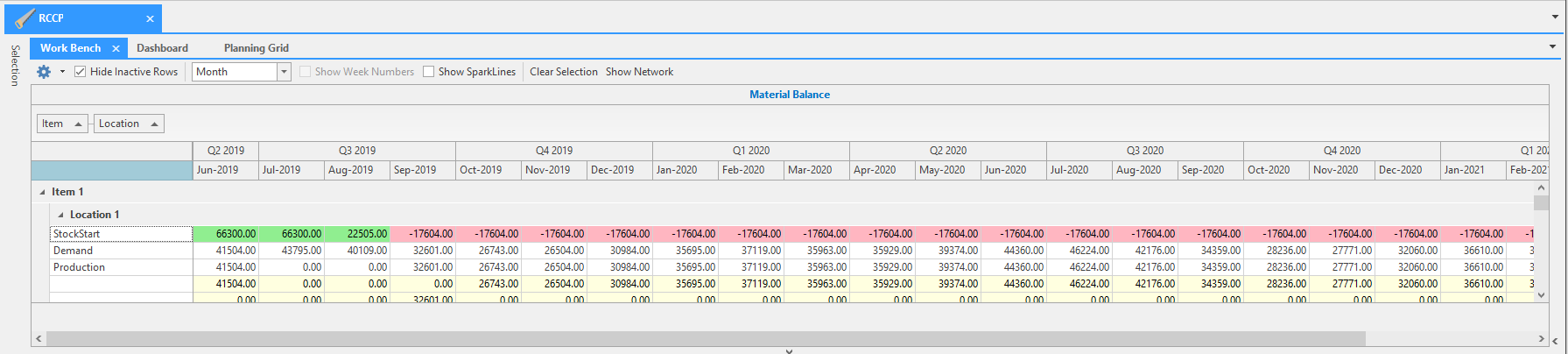
Since RCCP functions much like an Excel spreadsheet, A planner can create additional cell information to include formulas for calculating anything from Total Demand, Total Production, to Residual Capacity and Unit of Measure.

📘 A Note about Time Horizons in RCCP
Because the Planning grid is similar in function to an Excel sheet, the dates do not have to refer to a table in Arkieva (however it is possible). The time buckets are formulas taking in account the planning horizon date set in another cell. This can be manually updated or pulled from a table in the database. Either way, the Planning Grid and Workbench tab can use separate planning horizons. Ideally, we would want these to match.
Period
Period section shows the planning buckets; in this example it is monthly buckets.

Material Balance
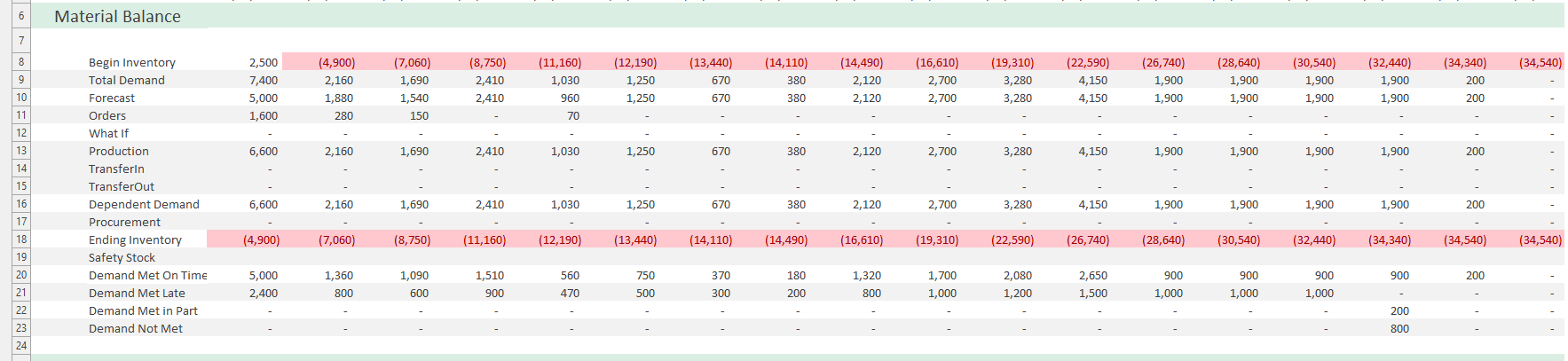
Demand\ Demand is represented by Total Demand and any demand types created for the RCCP model. This RCCP document has been set up with three different types of demand: Forecast, Orders, and What If. These demand types are defined in the RCCP model.

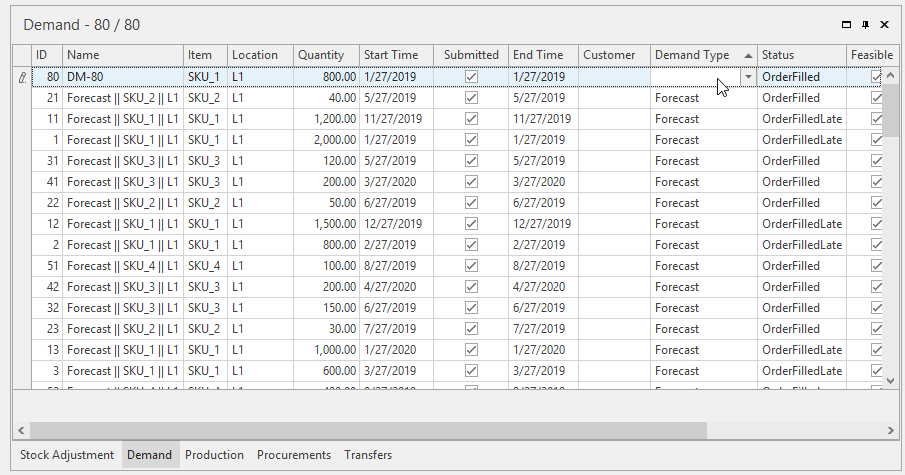
To see more detailed information about the Demand, view the Demand tab at the bottom half of the RCCP document.
Capacity Utilization
The Capacity Utilization section shows the resource that items are being produced on and how much production is being produced on it, and the capacity for use for each individual resource.
When setup correctly, each item to produce should have a default manufacturing method, which assigns it a resource to be produced on. In some cases that means a bill of materials, or capacity run times, etc.

Related Articles
Promotion Planning
Introduction Running promotions to increase sales is an essential part of the product marketing process. The Arkieva Promotions Planner provides powerful forecasting analytics tools that help you quickly align your promotions with your demand or ...Demand Planning
Segmentation Override Option for Segmentation Views Administrators are allowed access to everything in Segmentation Views (Allow Overrides, Allow Exception Flags, Edit Screen, Run, Share, etc.; however Users are only given access to Allow Overrides ...Supply Planning Introduction
One of the most critical tasks for any manufacturing organization is balancing assets (e.g., capacity, materials, people) with demand. Planners must determine how best to meet the demand given (1) available assets, (2) the production and distribution ...Inventory Planning Introduction
Arkieva’s sophisticated analysis tools and safety stock reports enable planners to identify inventory issues and to make informed decisions concerning this delicate inventory balancing act. Our Inventory Planner utilizes demand data to plan safety ...Supply Planning
One of the most critical tasks for any manufacturing organization is balancing assets (e.g., capacity, materials, people) with demand. Planners must determine how best to meet the demand given (1) available assets, (2) the production and distribution ...