What do I do if I'm having data alerts issues?
Data Alerts are the only Alert types that have conditions, these conditions are data model queries; when a query is run, the value comes back and if the conditions are true, then it evaluates as true. Then the notification is sent. If these conditions are not met, then the notification will not be sent. The following steps are what you can check for to see why the notification has not been sent or why the conditions are not being met.
Are you Subscribed to the Alert?
First, check to see if your subscribed to the notification. Open the Alert and check in the Subscribers tab to see if your user name has been checked under the Include column to receive a notification. Also check to make sure a Notification Option as been checked.
Do you have a valid email address?
If your user name and notification options have been checked off, make sure your user name under Security has a valid email address attached.
Alerts Table
Go to the database the alert has been created on and look at the Alerts Table, dbo.Alerts, and see when the Last Run Date and Last Run Status are for the Alert.
Alerts Monitor
If you have Service Pulse installed you can look to see if there have been any failed alert messages; this may indicate the service is not firing the events it needs to process the alerts.
View the Calendar Service Logs
The Calendar Service logs will inform you as to when an Event has occurred and if the event notification has been published to other services.
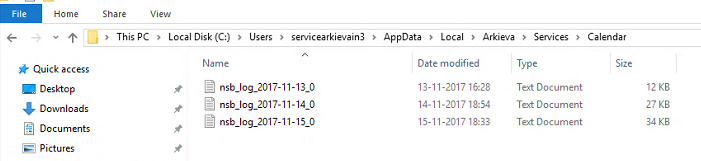
Go to: C:\Users\servicearkievain3\AppData\Local\Arkieva\Services\Calendar
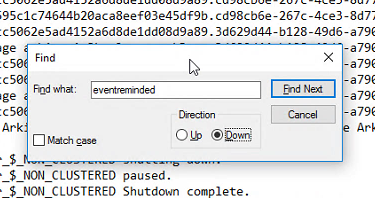
Open the most recent log, open Find, and type the text eventreminded. Event Reminded will inform you on when the alert was published and the times that it was scheduled to fire.
Last Run Message
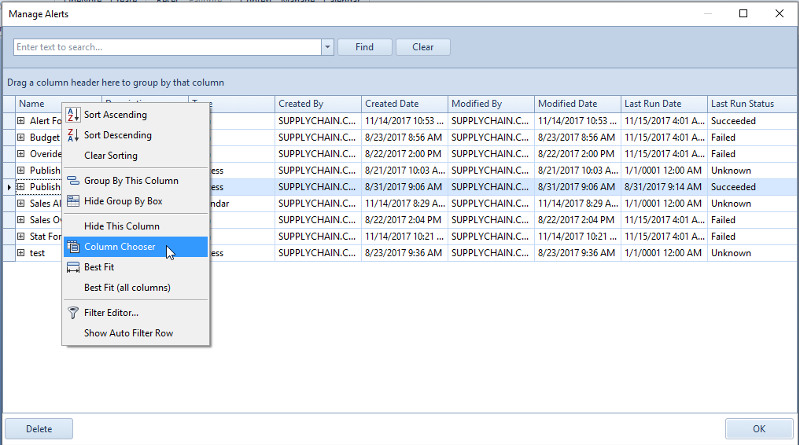
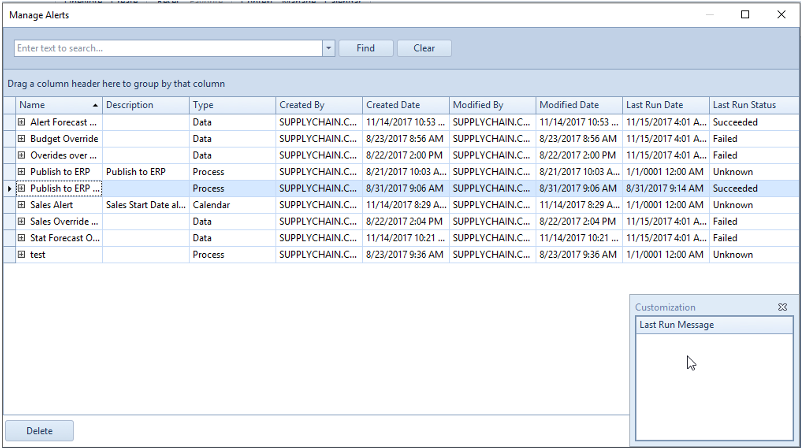
In Manage Alerts there is a hidden column showing Last Run Message for every alert creating on that database. Right-click any column and select Column Chooser. The Customization window will popup; double-click the Last Run Message to add that column to the Manage Alerts window.
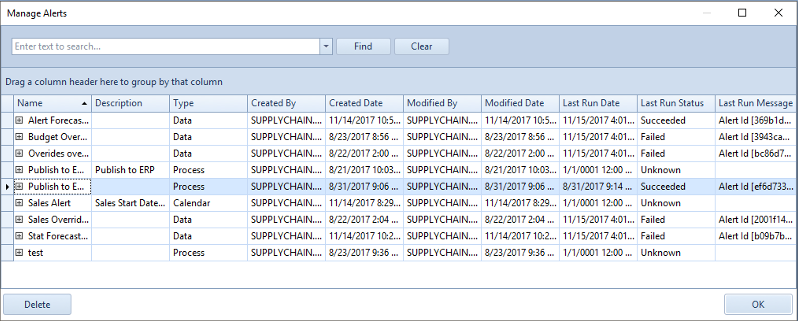
Last Run Message information is also available from the SQL database. Run Select * from Alerts to view this information.
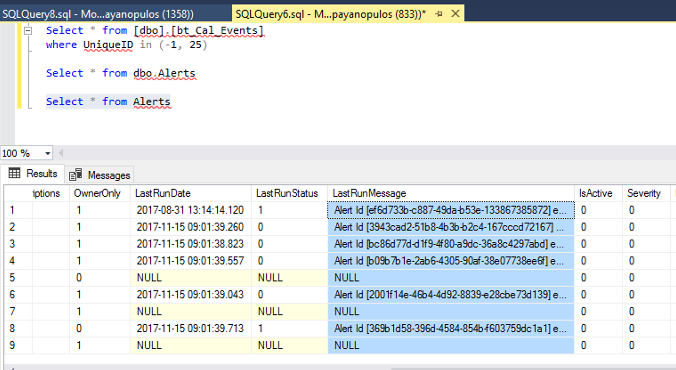
Last run message includes a log of every alert condition that has been evaluated, it also includes the raw data from the query defined by the alert condition and the result of the alert predicate (the IF condition expression) that is used by the condition to determine success or failure.
Related Articles
How do I get data alert trigger times?
Use a postman program that allows for saving of Web API calls to get data alert trigger times. First using the following URL to get the Calendar Event ID, and the Database ID. http://LocalHost/arkieva/api/v1/config/database/ Then copy and paste the ...How do I force an alert to fire?
Copy and paste the following URL into Google Chrome and replace Alert ID with the ID of the Alert you want to fire. http://arki-dev/Arkieva/api/v1/alerts/triggers?dbId=b3d3aff7-9ce6-49a8-99c9-a63272d8a84a&alertId=Alert ID You can find the Alert ID in ...Cannot create a new dropdown value in the Data Canvas?
Users can create a new dropdown value in the table the Data Canvas is based on, however users cannot create a new dropdown value in the Data Canvas. This is by design."Data on the Clipboard is not the same size and shape as the selected area" error?
When copying and pasting data into Arkieva across several lines and months, the "Data on the Clipboard is not the same size and shape as the selected area" error can occur. Source of the issue is the line separator in Citrix being different than ...Cannot download data for Inventory Planner?
Run procedure UpdateCompositeDimensionsForConstellation for the Fact table.