Insights
The following serves as an introduction of how the Arkieva Insights software can be implemented as part of a multinational’s IT landscape. This is intended for IT project managers that are planning or considering the implementation of Arkieva Insights. This is mainly written for on-premise deployments that want to utilize the power of Arkieva Insights.
Relationship with Arkieva Software
The nature of the Arkieva software remains the same for cloud deployments, but not all considerations included in these sections are relevant in case of cloud deployment. If you’re evaluating to select cloud deployment, please contact your Arkieva account executive.
Bi-directional nature of the software\ Typically, the company’s ERP system is the key data source in order to support these different planning processes in Arkieva. Within the Arkieva software a user queries & enriches this data in order to come to a balanced consensus plan. Arkieva supports bi-directional data flows: reporting (aggregation) & data entry (disaggregation) are key functionalities that are available throughout the system. This defines the nature of the software and explains some aspects of the implementation such as the required hard- & software requirements.
Global footprint of the S\&OP process\ Since some of the S\&OP sub processes are only relevant on a regional or global scope, in a lot of cases the same Arkieva instance is accessible by multiple users across different geographical locations.
What is Insights?
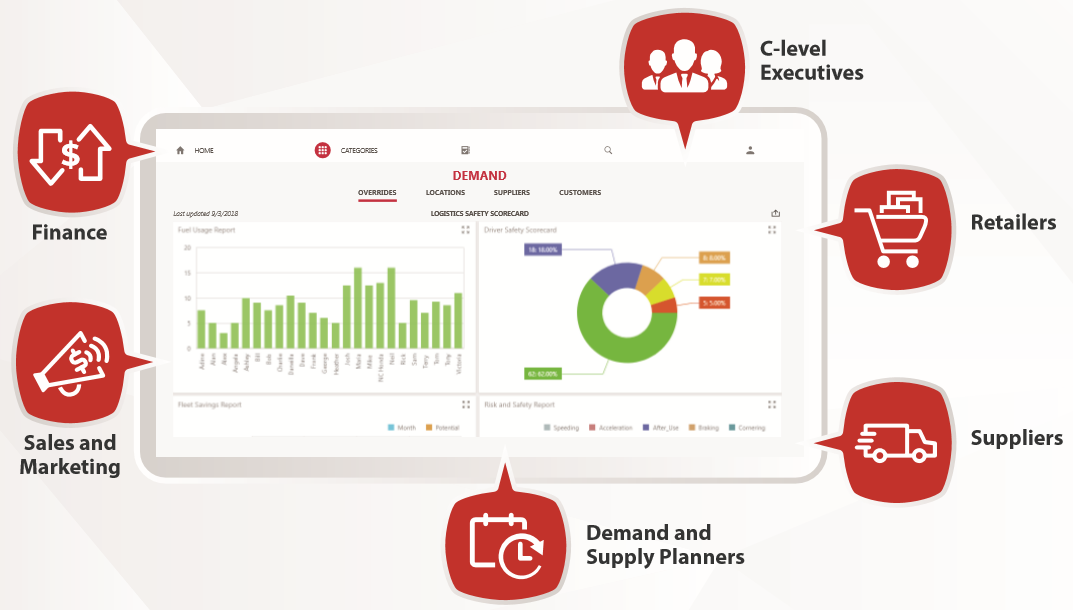
Arkieva Insights is an easy-to-use web-based application for dashboard visibility, reporting, analysis, and collaboration on the web. Insights’ mobile-ready features make it easy to access your planning data for real-time decision-making. Facilitate cross-functional and multi enterprise communication regardless of your device or geographical location. It offers access to performance dashboards, calendars, and S\&OP meeting productivity solutions.
Arkieva Insights is a companion progressive web application to the main Arkieva suite. It is software as a service that offers on-demand access to Dashboards, Calendars, and Agendas information. This information can be published out to any number of recipients via built in security controls and is commonly accessed by remote employees, suppliers, and vendors.
What is a Progressive Web App?\ A progressive web application is an application that loads regular web pages or websites data but offers additional user functionality such as working offline, push notifications, and utilizing local device hardware traditionally only available to native applications.
Is it available on my mobile device?\ Yes. IOS and Android versions of the solution are available at www.arkievainsights.com.
Insights Functionalities
The following capabilities are available within Arkieva Insights app.
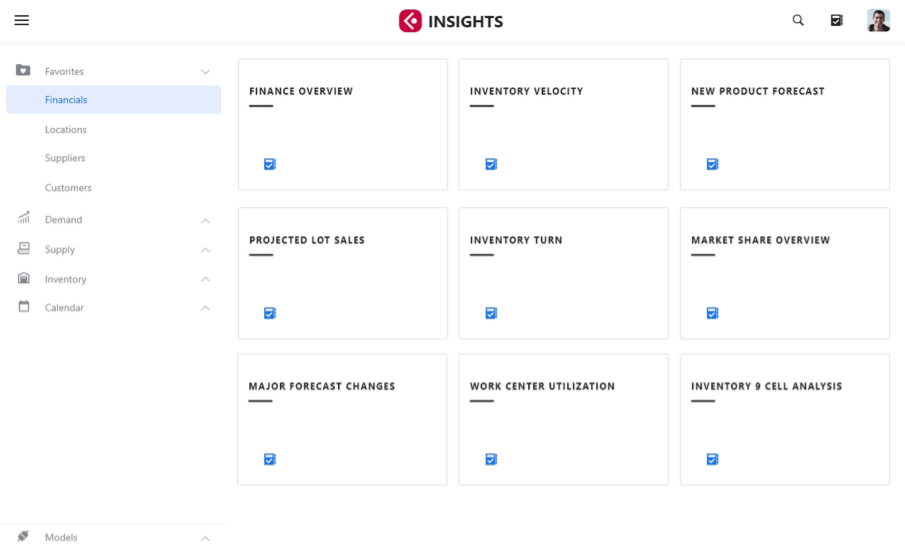
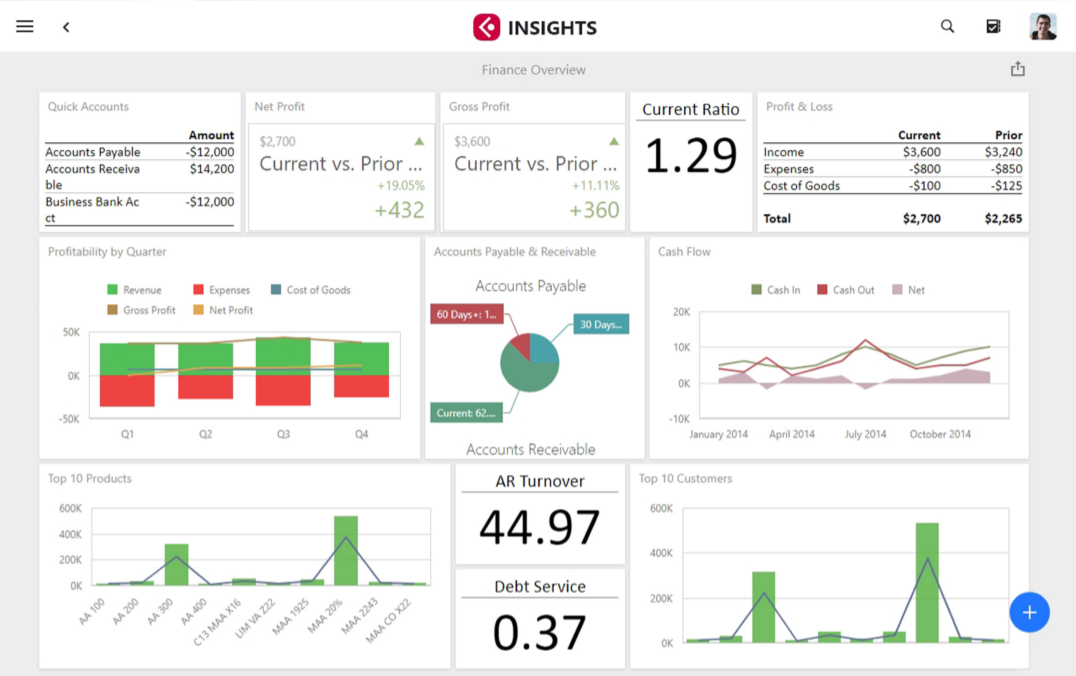
- Dashboard: The Arkieva Analytics Dashboard provides users the opportunity to display a lot of information, organized into one window. Analytics Dashboards offers many options to customize data and many more options to personalize the dashboard. With Arkieva Insights you can export Analytics Dashboards to view on your phone, tablet, or on the web.
- Calendar: Categorize your business into different workflows and manage appointments for important upcoming events with the Arkieva Calendar. Arkieva Insights also offers the ability to export these calendars to a phone, tablet, and to the web to view when not in the office.
- Agenda: With Arkieva Agenda you can consolidate S\&OP contextual meeting action items, and capture planning assumptions, tasks, problems, and even collaborate with remote users all within a meeting system integrated with the Arkieva S\&OP suite and specifically designed for maximizing meeting productivity during your S\&OP meeting. Agenda creates a value-added S\&OP meeting assignment and notetaking process to your S\&OP meeting process.
- Export:

Technical Architecture
Architecture Diagram
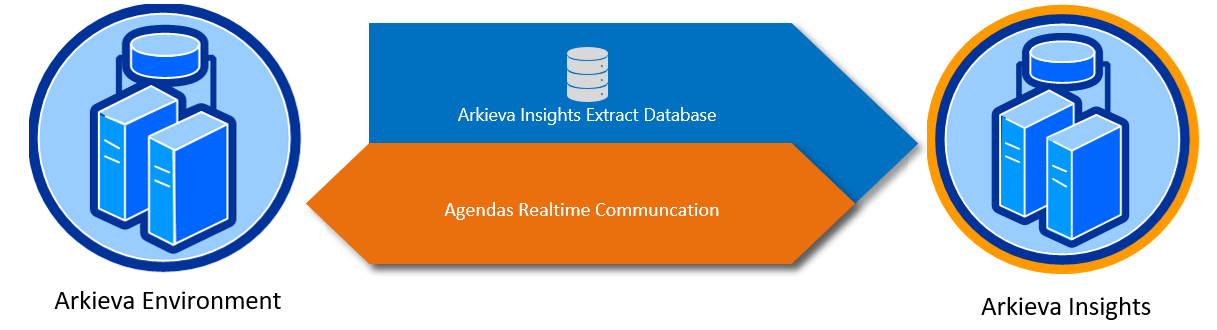
Extract Database\ The extract database is a database created on the client’s network for the purpose of powering Arkieva Insights. It contains Arkieva Dashboards with preconfigured user access information, policies, dashboard definitions, Calendars, and Agendas information. We also take client security very seriously.
We make sure not to expose the main Arkieva databases and only portions of the above information that is needed for Insights is extracted at a regular frequency.
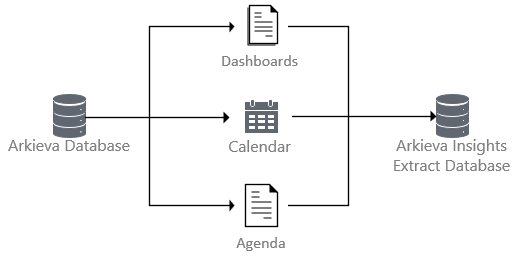
The extract database resides on our cloud and cannot be hosted on premise. Newer functionalities can be easily deployed without expensive and elaborate upgrades by hosting the extract database on the cloud. We can also fix bugs very quickly and since we rely on browsers and mobile devices to deliver the information, we’re able to maintain a dynamic environment, requiring us to be nimble in our delivery as well.
Interaction/Communication with Arkieva App\ Arkieva Insights utilizes a one-way communication method with the main Arkieva suite. Data is extracted out of the main Arkieva Database, stored in the extract database, and then uploaded to insights for viewing.
Arkieva Agendas has two-way communication and changes made through Insights will be reflected in Agendas and vice versa.
Dev\Test\Prod Environment for Insights\ While traditional software best practice is to deploy in a dev\test\production architecture, Arkieva Insights does not require this because Arkieva Insights allows for the persistence of security and policy information during the database extract process. However, Separate instances can be configured if IT policy and/or custom deployment techniques require it.
Prerequisites
Arkieva Environment\ Arkieva Insights is powered by the already deployed Arkieva solution. Whether on premise or in the Arkieva Cloud data flows will be set up to pipe requisite data to Insights from the Arkieva platform.
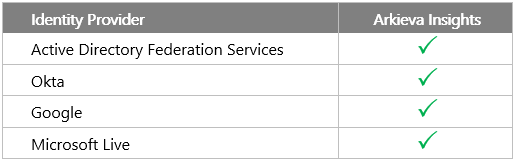
Available Authentication Methods\ Arkieva Insights supports an ever-growing list of Identity Providers. Current available Identity providers:
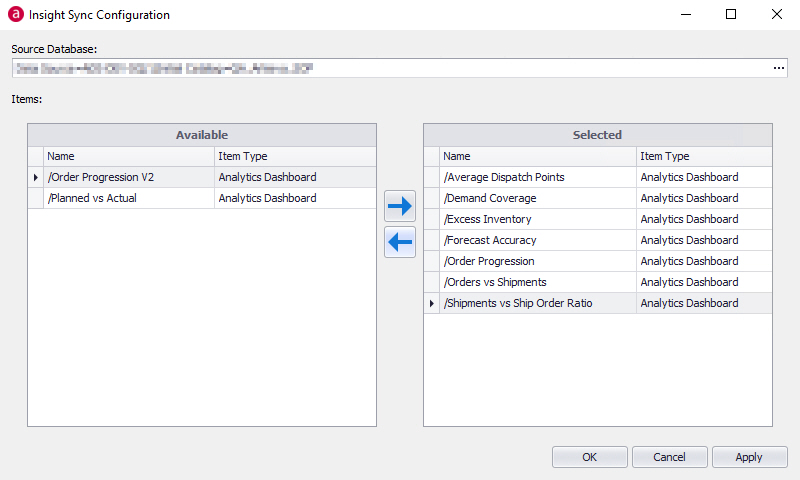
Configured Dashboards for export to Insights\ Target the database for extract and select from the available dashboards to send to Insights.
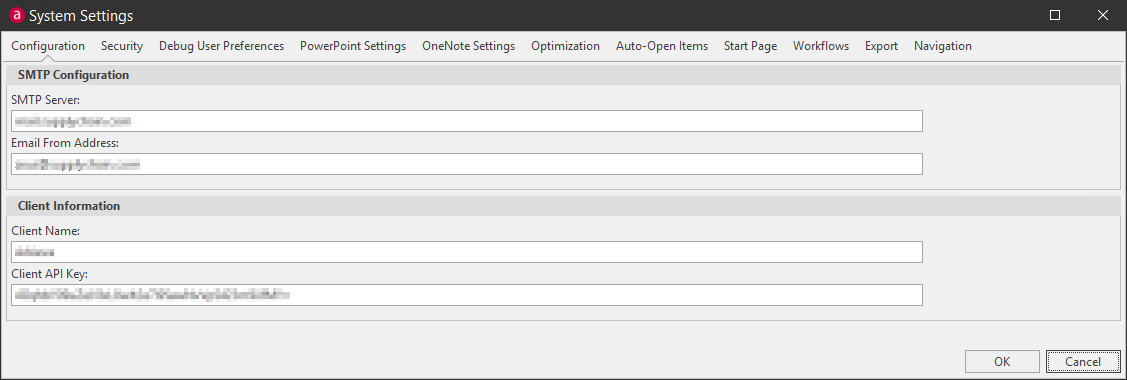
API Key for accessing Arkieva Insights\ While traditional software best practice is to deploy in a dev\test\production architecture, Configure the API key for use by Insights (provided by Arkieva):
Browser Compatibility\ Target the database for extract and select from the available dashboards to send to Insights.
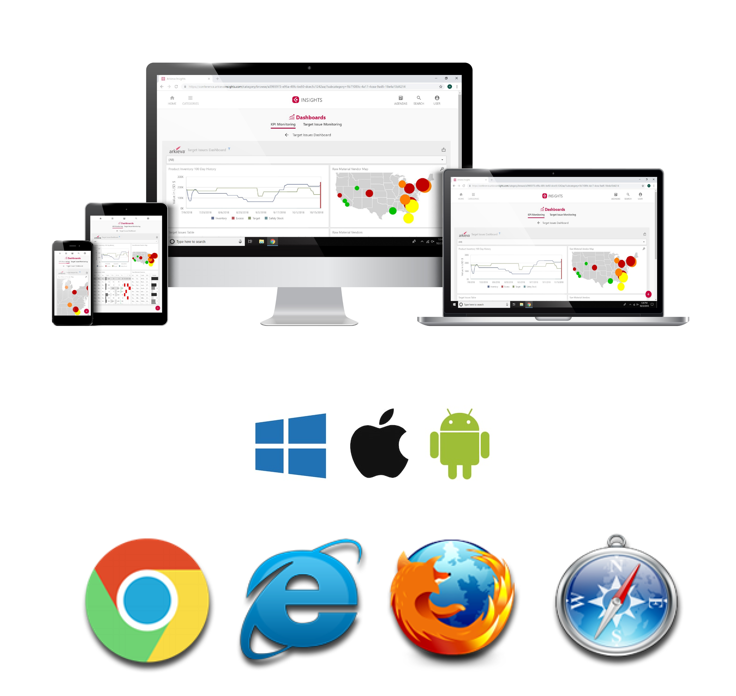
SQL\ Web Server Compatibility\ Arkieva at release time will be compatible with the earliest version of SQL server that is still under Mainstream Support by Microsoft.

Configuration on Client end (Ports, Firewall, etc.)\ Ports 80, 443, and 22 (SFTP) should be open for traffic.
Language/ Date format compatibility\ The language settings of the data being uploaded to Arkieva Insights will determine how the solution displays it.
Data Integration / Security Features and Options
Arkieva Insights integrates natively with the main Arkieva solution. Communication is exchanged between these platforms to load relevant data and expose Dashboards, Calendars, and Agenda information.
Security Overview
Identity Provider support & Security Techniques
*provided by 3rd party
Logging\ Arkieva maintains logs of user/device access. These logs are maintained for troubleshooting and security analysis purposes.
Scalability
Arkieva Insights is a completely scalable solution offering additional resources when the data requires it. This load balanced solution is, by default, highly available and disaster resistant. Data is stored with hardware redundancy in mind.
Scalability and on-demand resources are the central ideas upon which Arkieva Insights has been built. Additional compute and memory resources are added automatically behind the scenes as needed.
Maintenance, Update, and SLA
Release Frequency & Patching\ Arkieva Insights utilizes the latest in DevOps philosophies and has been architected from the ground up using these techniques and principles. As such Arkieva Insights is configured to deploy using a CI/CD pipeline. As new features and updates become available, they are immediately deployed to all Arkieva Insights users automatically.
Process\ When maintenance is required the Arkieva Insights production systems are rotated to keep the solution available.
SLA\ 99.9% uptime.
Related Articles
Arkieva Customer Training Program
The Arkieva Customer Training Program is a customer-centric program aimed at empowering Arkieva customers with the knowledge and skills needed to harness the power of their Arkieva solution to solving complex business problems. ? Go to the bottom of ...Forecast Performance Management
“What gets measured, gets managed.” There are a many alternatives on how to measure forecast accuracy. It does not matter too much how you define the KPI as long as: it is consistent, and it is understood by all stakeholders. Therefore, choose a set ...Error Measures
Error measures are different formulas that calculate forecast error. Error measures determines how the best method is selected and measures forecast performance. Error Measures are also useful when you have multiple methods or parameters. Error ...Promotion Planning
Introduction Running promotions to increase sales is an essential part of the product marketing process. The Arkieva Promotions Planner provides powerful forecasting analytics tools that help you quickly align your promotions with your demand or ...Analytics Dashboard
❗️ Warning: Exporting to Excel An error will occur preventing the exportation of the dashboard to Excel if any dashboard component is named with special characters followed by an apostrophe ('). Introduction The Arkieva Analytics Dashboard ...