Error Measures
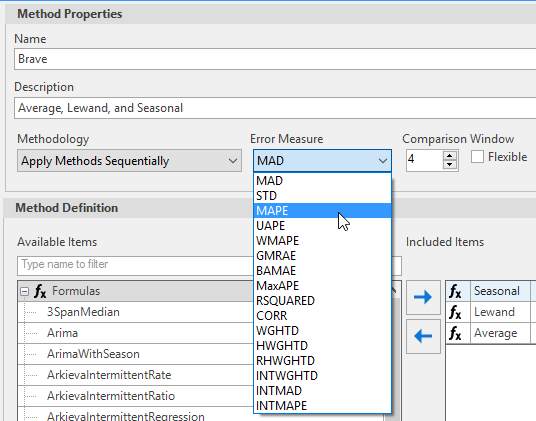
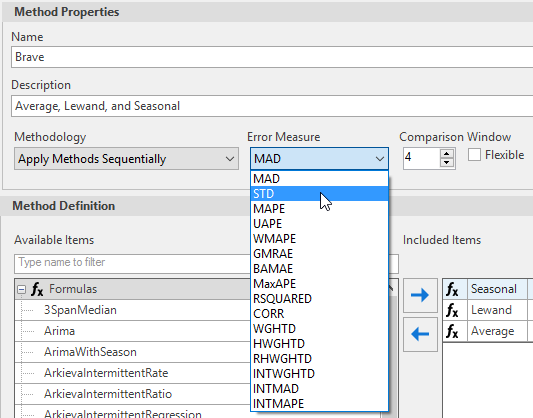
Error measures are different formulas that calculate forecast error. Error measures determines how the best method is selected and measures forecast performance. Error Measures are also useful when you have multiple methods or parameters.
Error measures do not improve the forecast. If emphasis is placed on the most recent periods, error may produce noisy results.
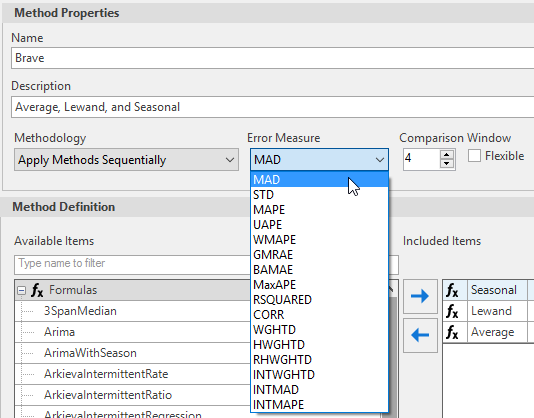
We recommend using HWGHTD and RHWGHTD for non-intermittent time periods, and INTMAD and INTMAPE for intermittent time series.
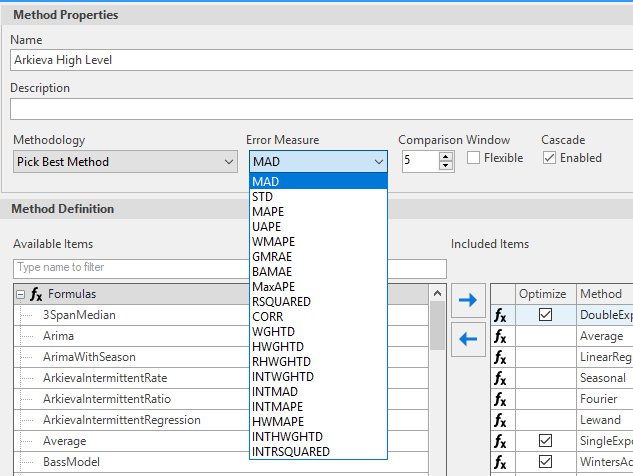
There are four distinct classes of forecast errors in our engine:
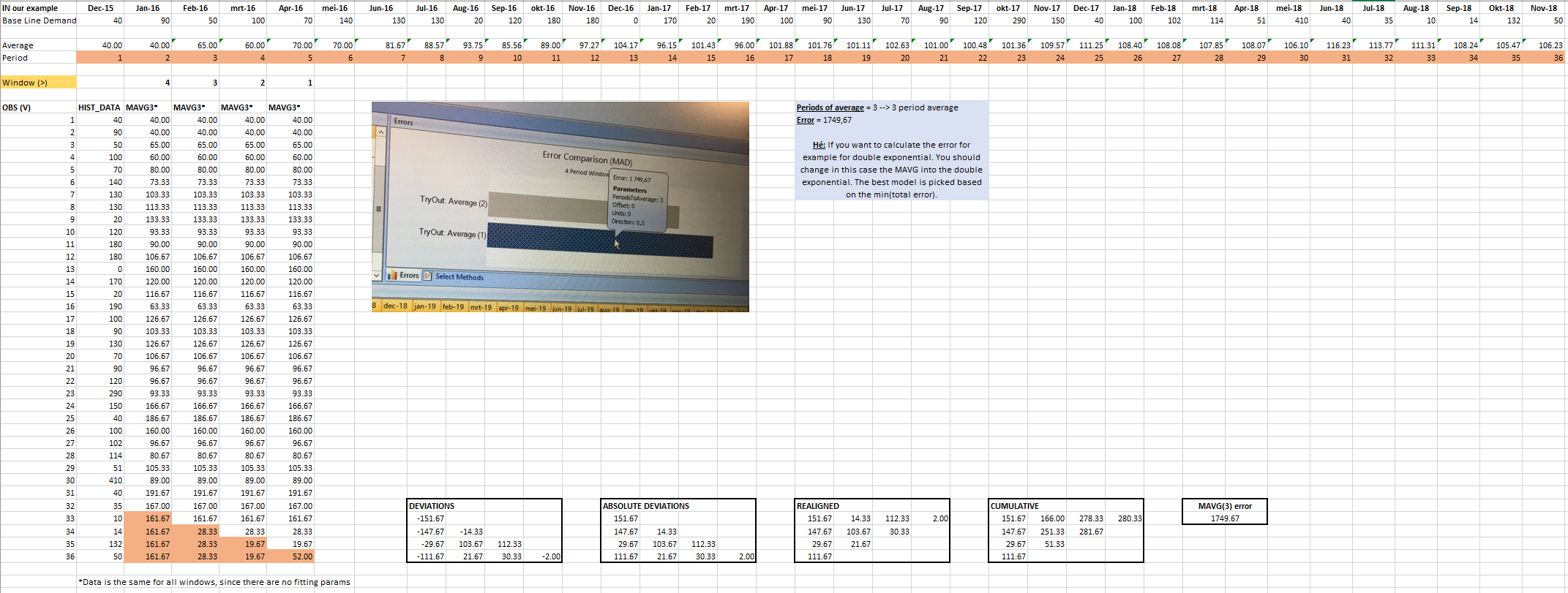
- Errors that rely primarily on performance in the testing window. These methods calculate errors in each period, perform a cumulative calculation, then pick the method with the least error. These are: MAD, MAPE, UAPE, WMAPE, GMRAE, BAMAE, and MaxAPE.
- Errors that rely on how good a job we did fitting the data in the past. These are: CORR and RSQUARED.
- Errors that weight CORR and RSQUARED in some way. Since the above two methods are both somewhat extreme, these methods try to find some sort of happy medium. These are: WGHTD, HWGHTD, and RHWGHTD. WGHTD weighs Window-MAD and (1 - Training-CORR). HWGTHD weighs Training MAD, (1 – Training CORR), (1 – Training R-Squared), Training STD (the preceding four are fit measures) and the Window-MAD. Weights are 0.8 and 0.2 respectively for fit measures and MAD respectively. RWFHTD weighs WMAPE (Forecast Score) and Window MAD as follows: (1+WMPAE)*Window MAD.
- Errors that are very similar to the above, except they are specifically designed for Intermittent time series. In these cases, they look for cumulative forecast accuracy, ignoring the error in periods with 0 observations. These are: INTMAD (similar to MAD), INTMAPE (Similar to MAPE), INTWGHTD (Similar to WGHTD).
MAD (Mean Absolute Deviation)
MAD is useful to compare different forecast techniques with each other because it shows how much the forecasted value is deviating from the actual sales on average. However, it does not indicate in what direction your overall forecast error is heading towards (over or under forecast).
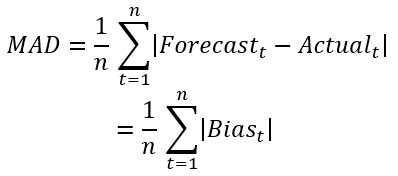
It is an absolute metric and a linear measure which is intuitive to interpret. It can be used as substitute for MSE for determining optimal inventory levels. MAD is more robust for outliers then MSE or RMSE.
MAPE
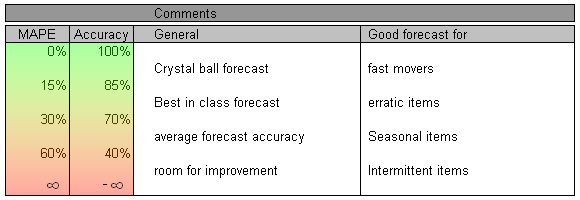
MAPE can be used in the same context as MAD, but it yields a value by percentage instead of an absolute value. The trend between forecast methods shown with MAPE corresponds to the trends shown with MAD. The trend shown with MAPE gives a relative measure and therefore MAPE can be used to compare across products.
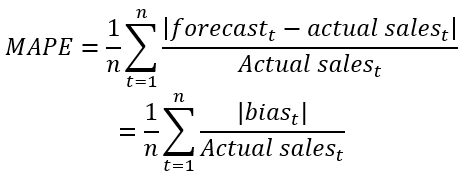
There is a debate going on whether the actuals or the forecast values should be put in the denominator as a basis to calculate the relative measure. The general guideline is to use the actuals for evaluating the forecast error since we envision a metric that allows us to measure how well we anticipate actual sales.
When using the forecast value in the denominator it is rather a measure indicating how well the actual sales could meet the forecasted number. This can be a relevant metric in cases where the forecast is rather used as a sales target that should be met by the sales team.
🚧 Limitations
When a zero value is used as actual sales number, the formula cannot cope with this. There are several guidelines available to overcome this problem:
- Ignore the zero values. When interpreting the results, you should be careful and keep in mind that some values where deleted.
- Replace the result of a divide by zero by a fixed percentage e.g. 100%\ The questions that arise: what is a good value for these situations? Is 100% a good value? Should it be 50%? Or more than 100%?
- The zero values could simply be removed by using the average sales for cases where there is no demand.
- Instead of dividing the forecast by the actual sales, you could subtract them and square the results or take the absolute value; remove the negatives. In this case, we are working again with absolute values instead of percentages.
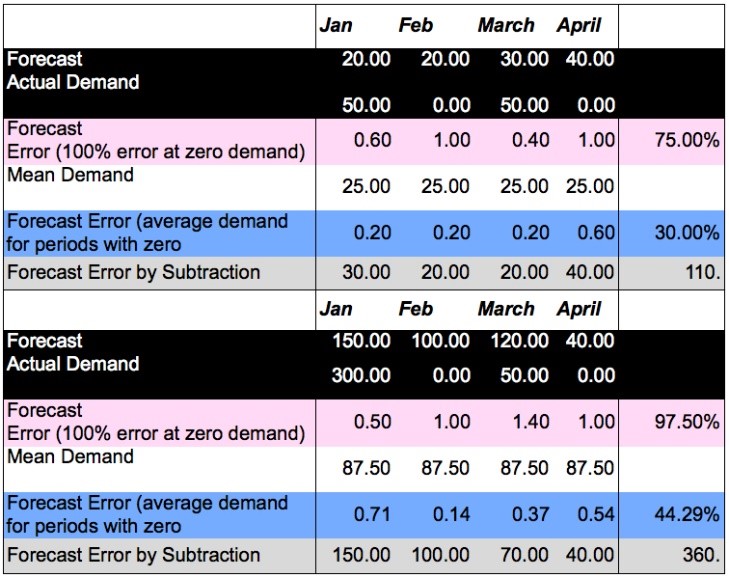
🚧 This problem shows that MAPE is not ideal for analyzing intermittent demand patterns.
Another limitation with MAPE is that it has no upper bound, meaning that if an error occurs, it could be an infinite error. This is not intuitive.
A last limitation is that errors with Actual > Forecast get a smaller percentage than that same absolute error with Actual \< Forecast.

UAPE (Unbiased Mean Absolute Percentage Error)
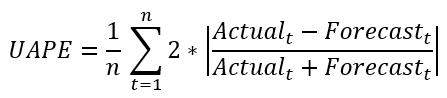
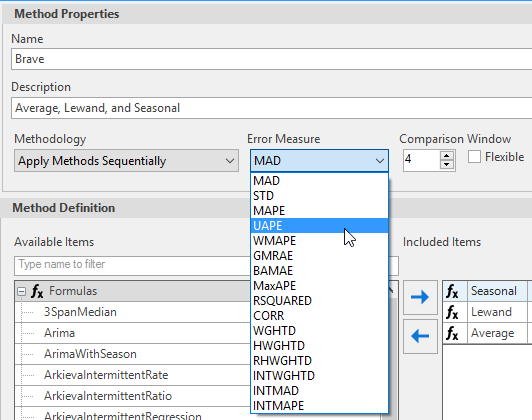
The UAPE will calculate the forecast accuracy, i.e. the degree in which the demand is anticipated correctly for a certain period, range: 0-200%.
The advantage of using the UAPE is that it will eliminate the problem of bias in case of normal MAPE or WMAPE. Under-forecasted values will be penalized as much as over-forecasted values. It will also remove the problem of dividing by zero partly.
🚧 Limitations
If the actual value is close to zero, the forecasted value will also likely be close to zero. Thus, the measure still involves division by a number close to zero, making the calculation unstable.
WMAPE (Weighted Mean Absolute Percentage Error)
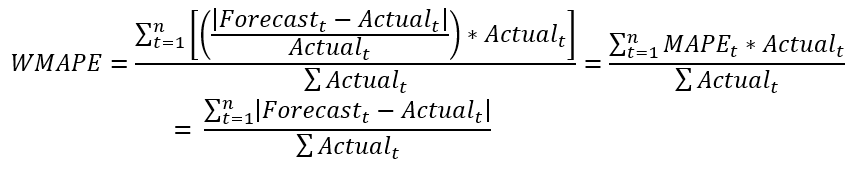
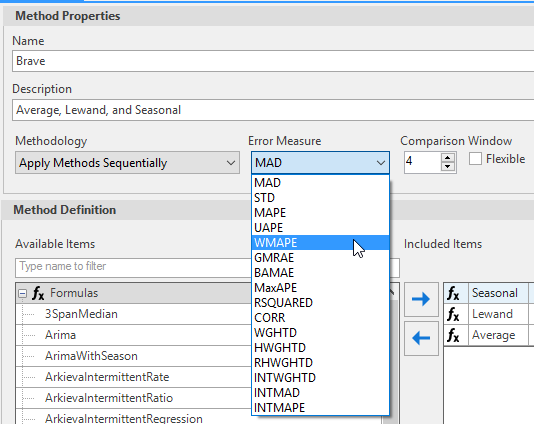
Weighted form of MAPE. The MAPE for each month is weighted with its actual shipments. So, larger shipments will get a higher influence in the calculations of the MAPE. This is helpful when comparing the forecast error over different products to see how large the error is in comparison with the total shipped volume.
This metric is particularly handy to report forecast accuracy to higher management and to other groups within the organisation. This is thanks to the possibility to aggregate the metric to various levels of aggregation. Calculate the absolute error at the low level. Then weigh the results based on volume to higher levels of aggregation.
Hierarchical level of aggregation\ Deciding upon the low level is key since it defines where the absolute difference is taken. This low level should be in line with your forecasting goal on the forecast horizon that you’re measuring.
E.g. for a 1 to 2 month forecasting lag, you might want to choose the shipto/SKU level of detail as your low level and then aggregate upwards as from that point. It is in line with the goal to forecast well which customer is going to buy a very specific product (SKU). In some cases the shipto is not relevant to have correct, and a more aggregated level as soldto, payer or customer group can be used.
An example on the mid-term would be e.g. a 3 to 4 month lag where one is focusing on a shipping region and a product group. Then first aggregate forecast and actuals to the region/product group level and only then calculate the absolute difference. If you want to report a single, company-wide forecasting metric number, then you weigh it to higher levels of aggregation. This gives you a metric that is aligned with the goal to forecast well 3 to 4 months out what type of products you’re going to sell in which regions. It is in line with typical (shorter term) S\&OP goals to align supply & demand.
Temporal aggregation before calculating MAPE/wMAPE\ MAPE can be harsh a measure when the forecasted volume is not realized in month X but rather in month X+1, then the MAPE metric takes a hit twice while it might not have that dramatic effect on the supply chain performance. In some cases we have found benefit in first aggregating forecast and actuals over e.g. a quarter and measuring MAPE/wMAPE for a rolling quarter.
While the WMAPE is calculated over a specific window size, the HWMAPE (Historical Weighted Mean Absolute Percentage Error) is calculated for the entire historical period; i.e., if we have 36 months of history, then HWMAPE is calculated using all 36 periods while WMAPE is calculated only for the specific periods mentioned.
🚧 Limitations
The same limitations of MAPE arise with WMAPE. What to do when you actual sales is zero?
GMRAE (Geometrical Mean Relative Absolute Error)
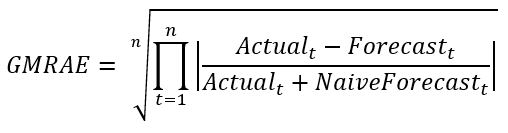
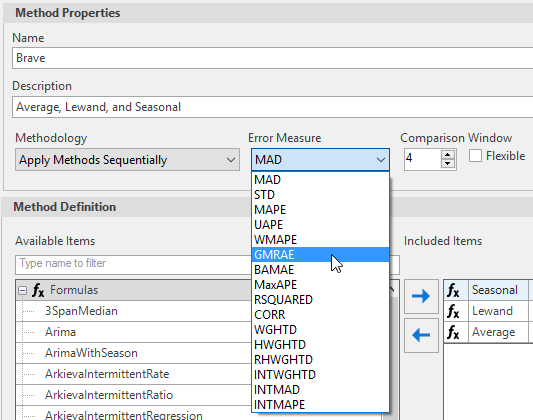
Used to evaluate the current forecast method with the naive forecast method. This metric has been recommended because it is not scale dependent.
Interpretation: if GMRAE = 0.7, then the selected model has 70% of the errors a naive forecast would produce for the same dataset.
🚧 When the actual and the forecast have the same value, the metric will give you a zero value (because of the multiplication). This can be for instance the case when both actual and forecast are 0. Therefore it is not recommended to use with intermediate demand patterns.
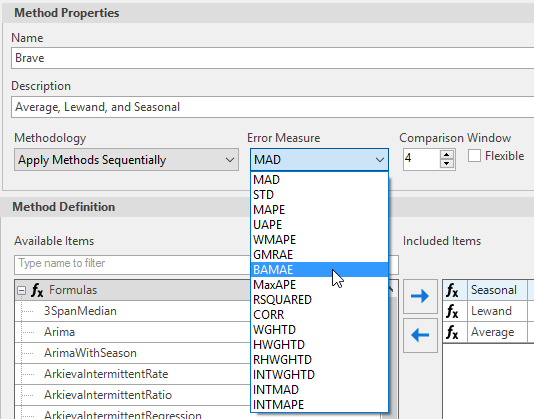
BAMAE (Absolute Mean Absolute Error)
BAMAE finds the average error and the error deviation from the average error.
MaxAPE (Maximum Average Percentage Error)
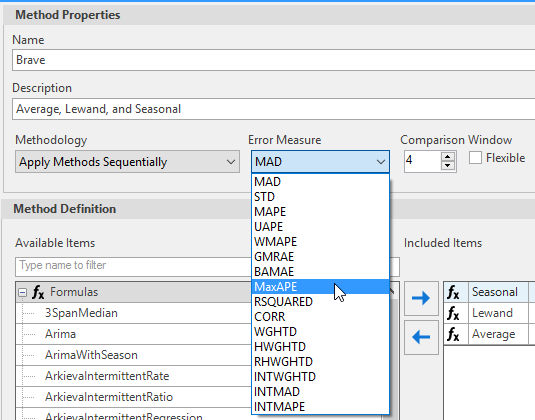
A window measure. Finds the maximum error within the window period.
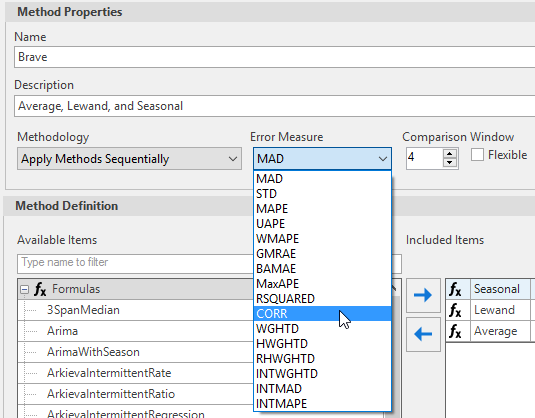
CORR
Correlation between the window history and window forecast. The value is between 0 and 1.
RSQUARED
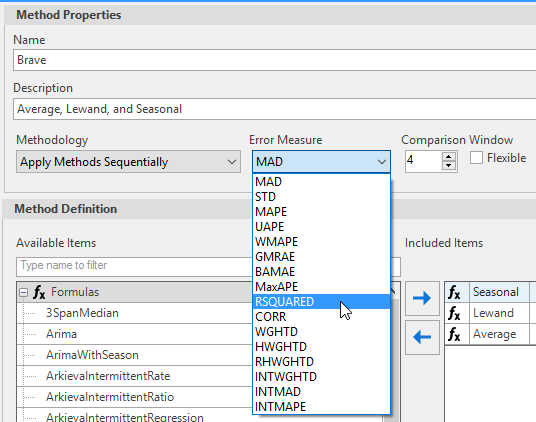
R-squared is a coefficient of determination. Proportion of error variance that can be explained.
- Calculate the total error squared (history – mean of history).
- Calculate total forecast error squared (history minus forecast).
- Divide total forecast error by total squared error and subtract from 1.
- The value is between 0 and 1, the higher the number the better.
WGHTD
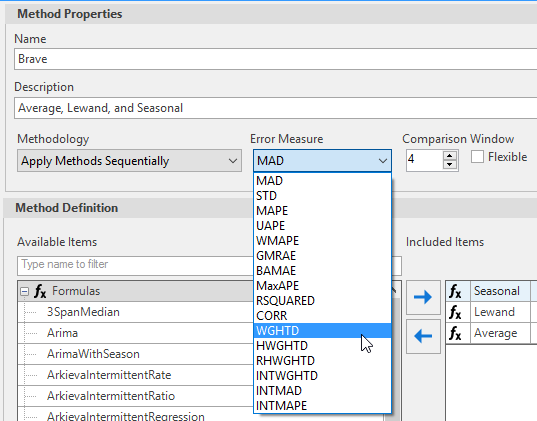
The WGHTD error measure is the Geometric average of MAD, MAPE, and R-Squared.

HWGHTD and RHWGHTD
We recommend using HWGHTD and RHWGHTD for non-intermittent time series.
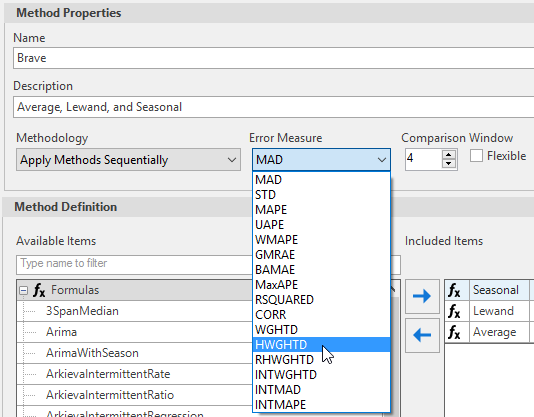
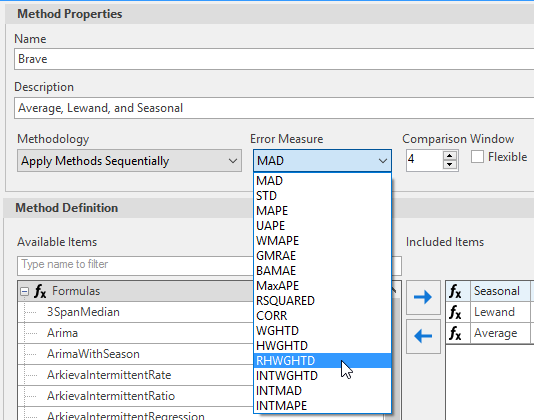
HWGHTD and RHWGHTD are error measures that are used to determine the best method, just like MAD. Both HWGHTD and RHWGHTD combine the historical error measure using geometric mean, and the combined measure is given a default weight of 0.6, and the window MAD error measure is given a weight of 0.4.
HWGHTD puts more weight on windows closes to the current date. RHWGHTD puts more weight on windows furthest from the current date.
HWGHTD and RHWGHTD error measures require the following error measures:
- CORR: Historical Correlated between the historical fitted and the historical data, the larger the values the better.
- STD: The standard deviation of the error of the historical data. The smaller the value the better.
- MAD: the historical MAD. The smaller the value the better.
- The R Squared or coefficient of variation. The bigger the value the better.
- The window MAD, this requires the Window size. This is the information currently displayed in the comparison tab when MAD option is selected.
- The CORR and the RSquared are moving in the same direction but opposite to STD and MAD, the higher the values of CORR and RSquared then better where it is the opposite for STD and MAD where the samaller the better.
- Use 1-CORR and 1-RSquared to ensure they are in the same direction as STD and MAD.
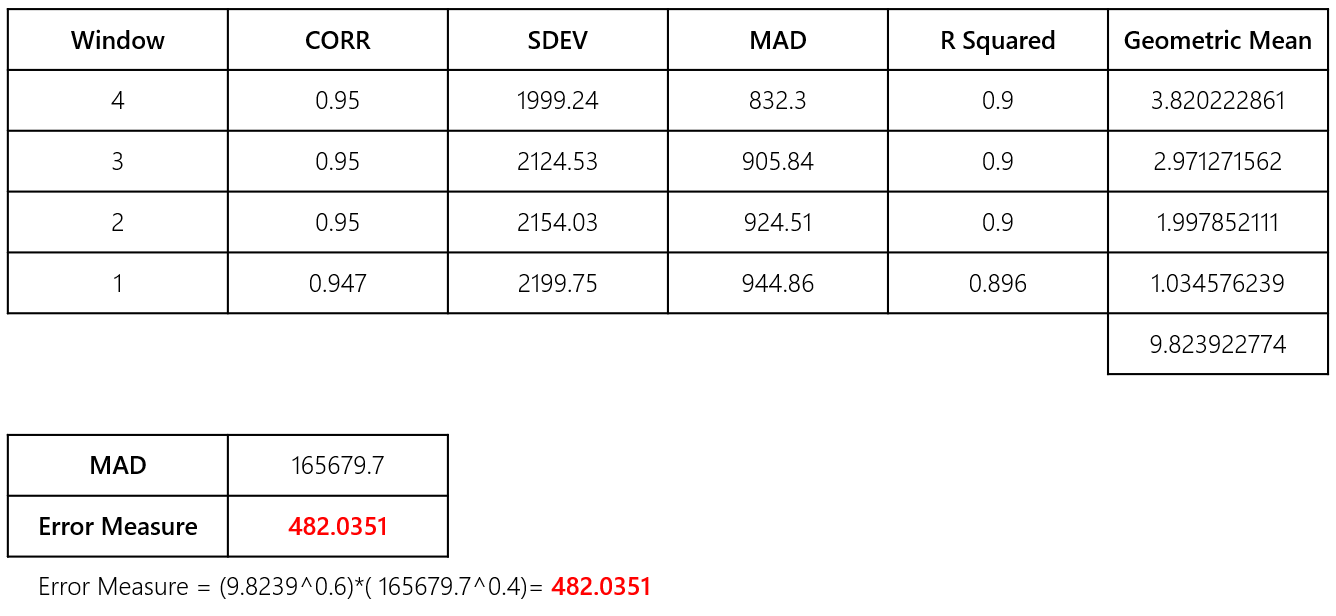
Calculation steps\ Calculations for HWGHTD:
- Comparison Window size = 4
- Total size = (window size*(window size+1)/2) = 10; similar to adding 1+2+3… window size;
- Calculate MAD=165679.69 : MAD calculations that would normally be seen in the comparison window.
At each iteration window there are 4 items and so we need the fourth root. Gives more weight to larger windows, hence more likely performance is influenced by the large window iteration.
- Calculate Historical Geometric Mean=(window/Total size)((1-corr)SDEVMAD(1-R Squared))^0.25
Add the Historical Geometric mean measure over all the window iterations.
- Combine Historical Measure with window MAD measure: Error measure=(Sum(Historical Geometric Mean)^0.6) * (MAD^0.4)
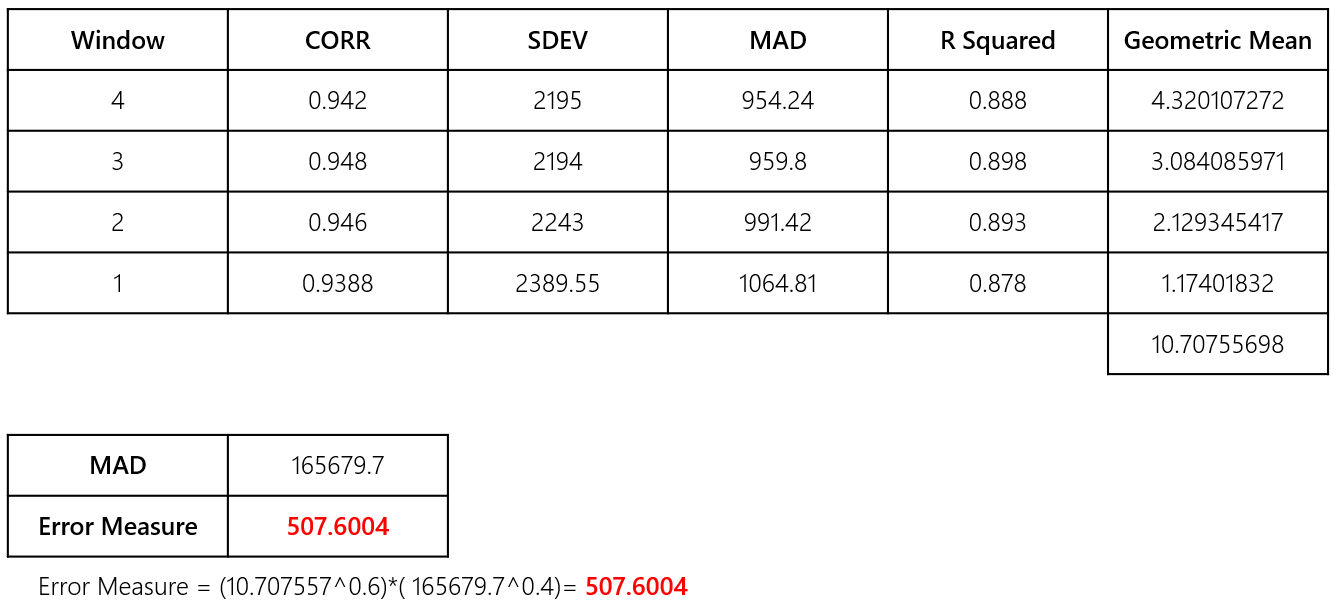
Calculations for RHWGHTD\ Similar calculations as HWGHTD, the only difference is the relative window weight at each iteration.
- Comparison Window size=4
- Total size=(window size*(window size+1)/2)=10
- MAD=165679.69
At each iteration window: Gives more weight to smaller windows, hence more likely performance is influenced by the first (window size 1) window iteration.
- Geometric Mean=(window size-window+1)/Total size)((1-corr)SDEVMAD(1-R Squared))^0.25
Sum the Historical Geometric mean measure over all the window iteration.
- Combine Historical Measure with window MAD measure: Error measure=(Sum(Geometric Mean)^0.6) * (MAD^0.4)
Method 1:
Method 2:\ The selected method would be Method 1.
HWGHTD and RHWGHTD Examples\ The calculation of the metric is not straight forward when the comparison window size is more than 1. So, to verify the result set window size to 1 and use the following steps:
- Create a method and set the comparison window to 1 and the Error measure to “MAD”.
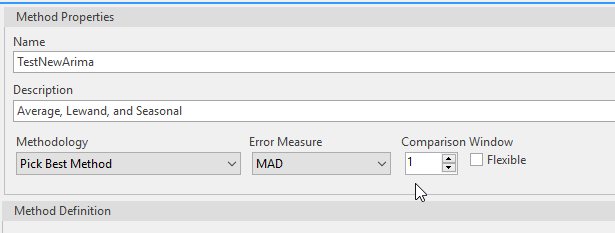
- Save and Run, then use the results to calculate.
- Next, Create another method, set the comparison window to 1 and the Error measure to “HWGHTD”.
- Save and Run.
- Compare the Results to the spreadsheet calculations. These steps can be replicated for RHGWHTD, but for a comparison window of size 1, HGWHTD and RHGWHTD are the same.
Calculation of HGWHTD and RHGWHTD requires information from the statistics tab: Historical Metric, and information from the Comparison Windows error measure: Window Metric.
This can also be used for the best method; the bigger the values for correlation and R-Square the better, the smaller the STDDEV and MAD the better.

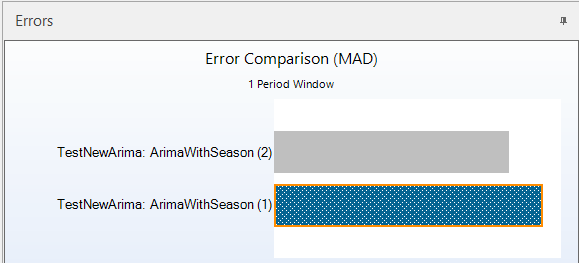
In the windows comparison window, the smaller the value the better, out objective is to combine the “Historical Metric” and “Window Metric”. The “Historical Metric” is given a weight of 0.6 and the “Window metric” is given a weight of 0.4.
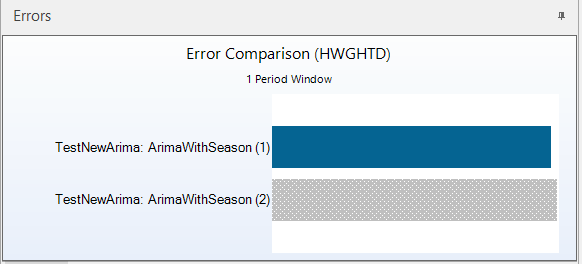
Examples for comparison window greater than 1 cannot be recreated from the UI because they involve additional calculations that are not available to the UI, so with the exception of the “comparison measure” the “Historical Measures” data were generated from the debugger.
Example 1: Run with HWGHTD
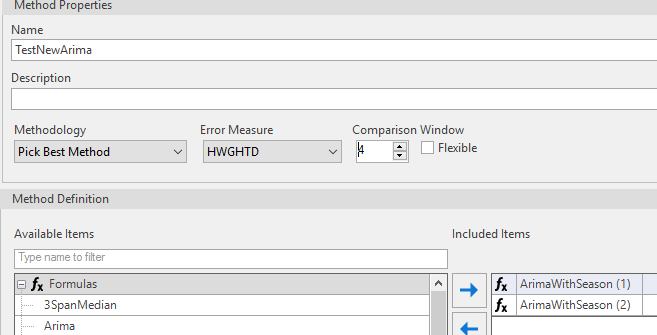
HWGHTD ArimaWithSeason(1)
HWGHTD ArimaWithSeason(2)
| Error Measure: HWGHTD | |
|---|---|
| ArimaWithSeason(1): 419.57 | **Best Method** |
| ArimaWithSeason(1): 432.988 |
Example 2: Run with RHWGHTD
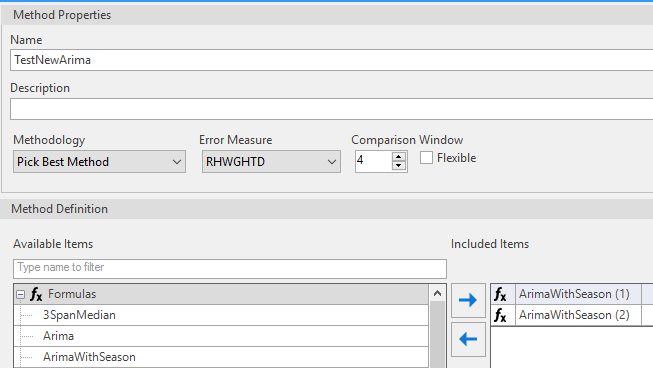
RHWGHTD ArimaWithSeason(1)
RHWGHTD ArimaWithSeason(2)
| Error Measure: RHWGHTD | |
|---|---|
| ArimaWithSeason(1): **316.57** | **Best Method** |
| ArimaWithSeason(1): 326.4927 |
INTMAD
- Used for intermittent method.
- Compares at event periods.
- Similar to MAD.
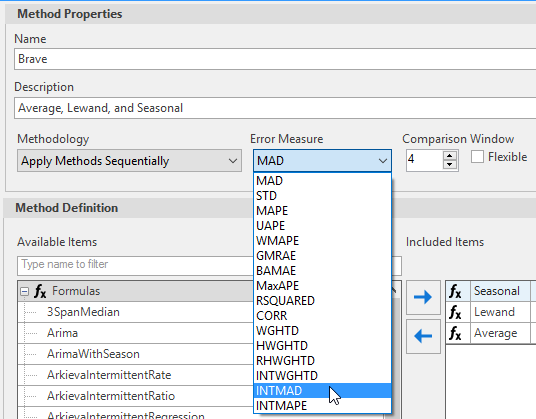
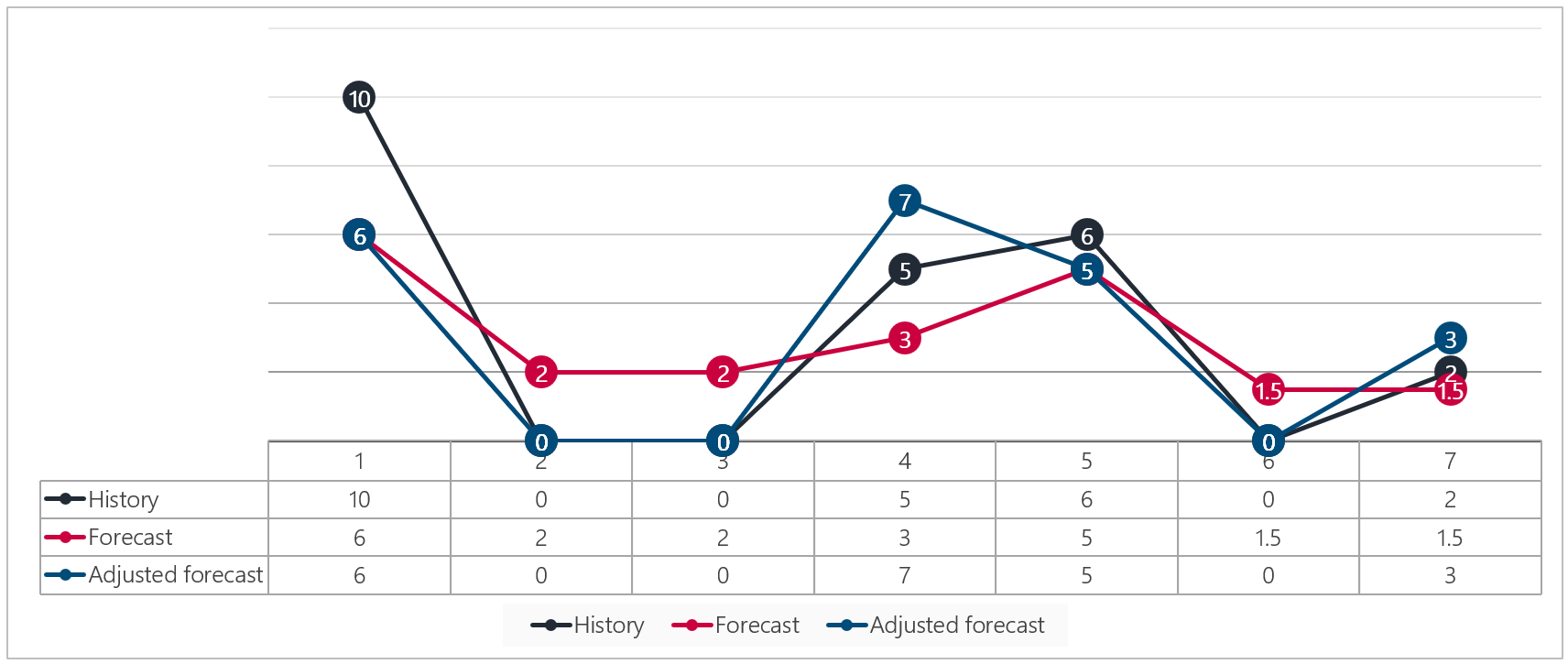
INTMAD is the MAD equivalent for intermittent data. INTMAD is the same as MAD for data with non-zeros in all periods.
Using data where each period has non-zero value, run the forecast using MAD and INTMAD; the measure error should be identical. Next use data with zeros in the data; the error measure for INTMAD and MAD will be different.
MAA 20% Window 1
MAA 20% Window 2
Window History
MAA 20% Summary
INTMAPE
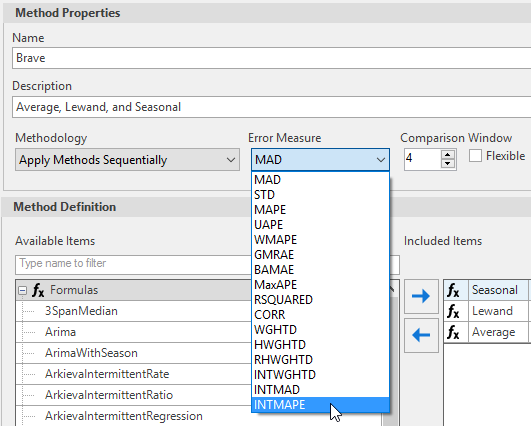
*Used for intermittent time series.\ INTMAPE is the MAPE equivalent for intermittent data. INTMAPE is the same as MAPE for data with non-zeros in all periods.
Using data where each period has non-zero value, run the forecast using MAD and INTMAPE. The measure error should be identical. Next use data with zeros in the data; the error measure for INTMAPE and MAPE would be different.
INTWGHTD
- Use for intermittent methods
- Weight dependent on both historical and window measures
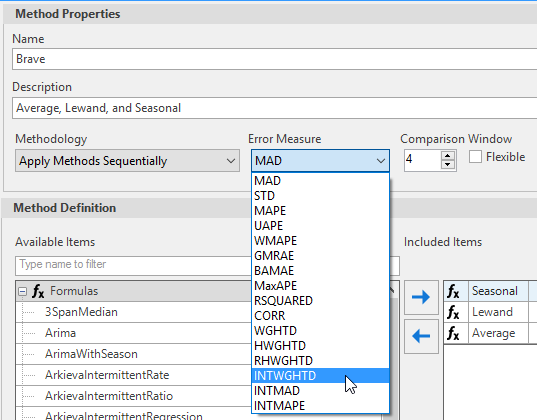
- Intermittent equivalent of HWGTHD\ INTWGHTD is a weighted error, like its non-intermittent equivalent HWGHTD. INTWGHTD is the same as HWGHTD for non-intermittent data.
Using data where each period that has non-zero value, run using HWGHTD and INTWGHTD; the measure error should be identical. Next use data with zeros in the data, the error measure for INTWGHTD and HWGHTD will be different.
STD
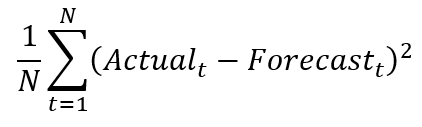
STD, sometimes called Mean Squared Error (MSE) measures the average of the squares of the errors—that is, the average squared difference between the forecasted values and the actual value.
The MSE is a measure of the quality of an estimator—it is always non-negative, and values closer to zero are better.
Like variance, STD has the disadvantage of heavily weighting outliers. This is a result of the squaring of each term, which effectively weights large errors more heavily than small ones. This property, undesirable in many applications, has led researchers to use alternatives such as the mean absolute deviation (MAD), or those based on the median.
Calculation insights
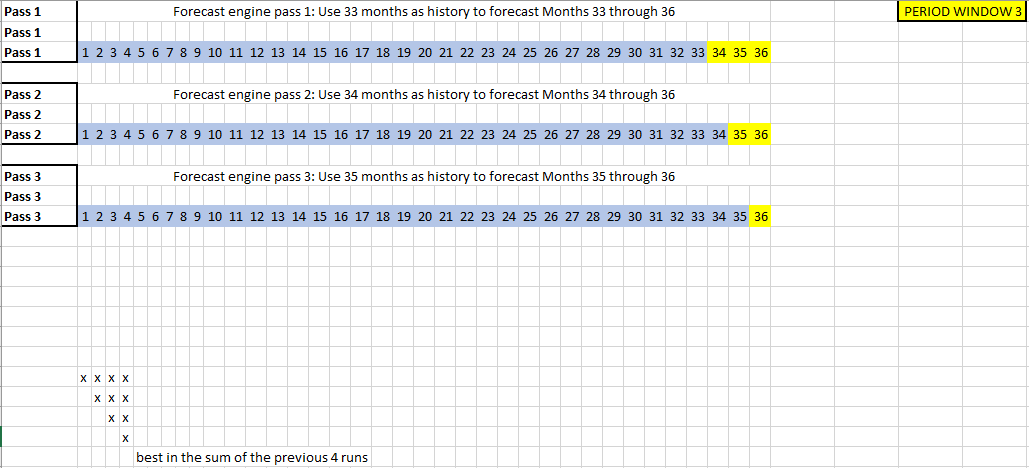
Period Window
Recalculating Statistics

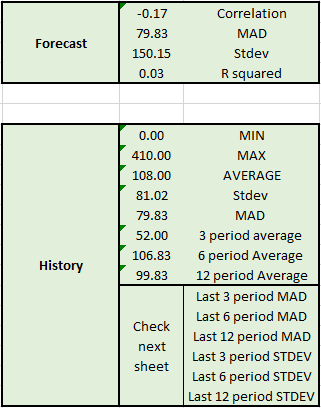
MAD and STDEV
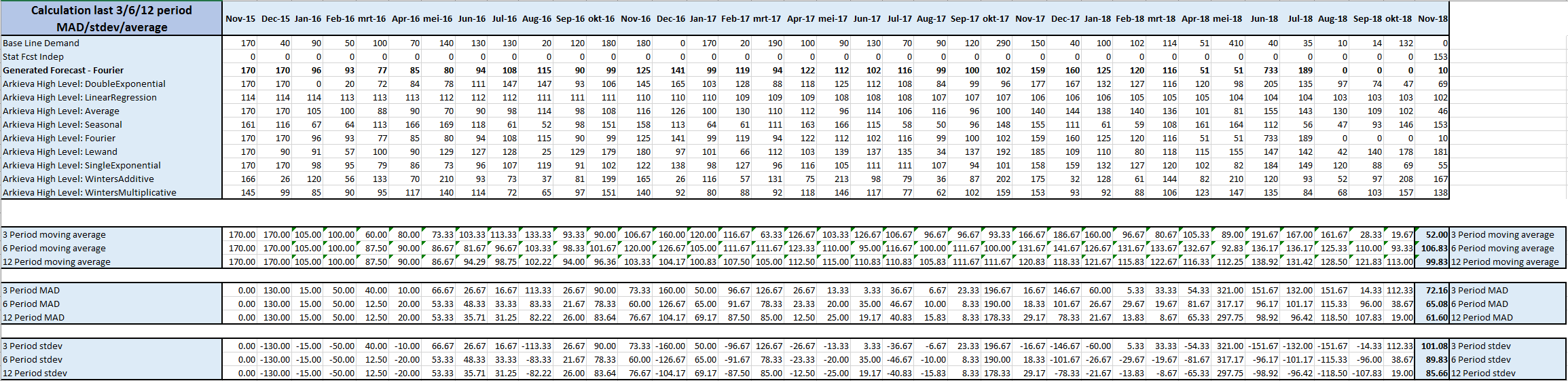
Error Calculation