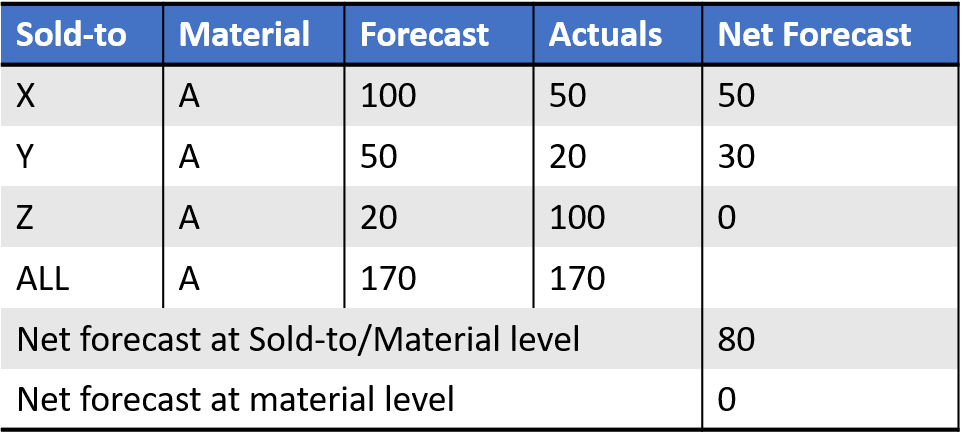
Forecast Netting
The netting process evaluates which part of the forecast has not been ordered or shipped yet. The outcome of the process is a remaining forecast in daily buckets. Normally this aggregates back up to the time level (week, month) that the planning is done in. Net forecast can not be negative.
An example for a given month:
- Forecast: 100
- Open Orders: 60
- Shipped: 20
- Net Forecast: 100 – (60 + 20) = 20
Another example:
- Forecast: 100
- Open Orders: 160
- Shipped: 20
- Net Forecast: 100 – (160 + 20) = -80 → 0
Netting Configuration – Periods of History
The base forecast is in monthly buckets and split into days using historical weights. This is explained best using a small example. In the example below, periods of history = 3. The current date is April 2nd.
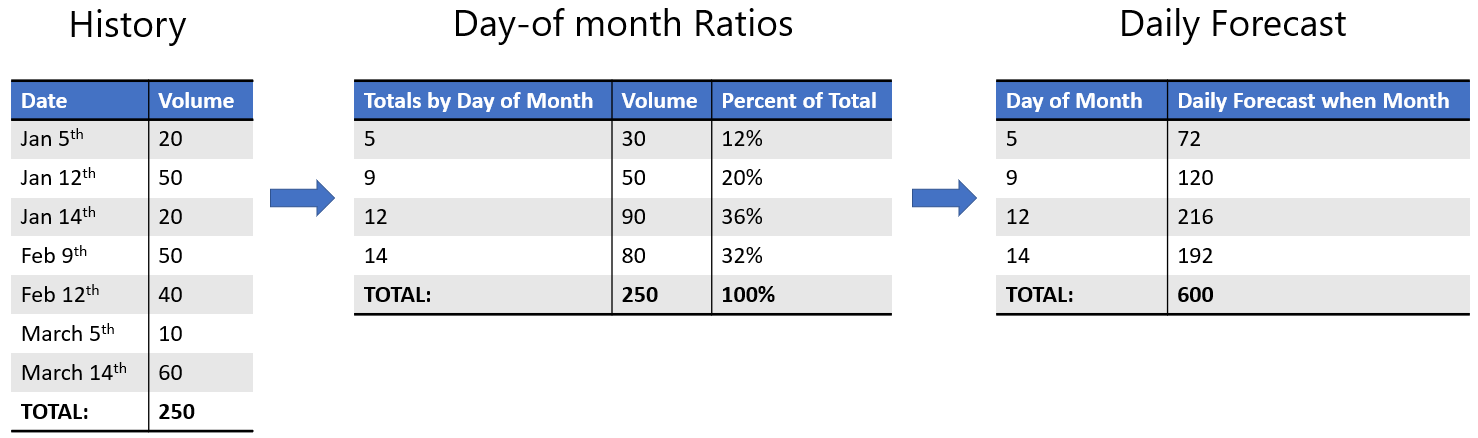
Now that we have orders and forecast in daily buckets, orders can consume forecast from the closest available days.
How do orders consume forecast?
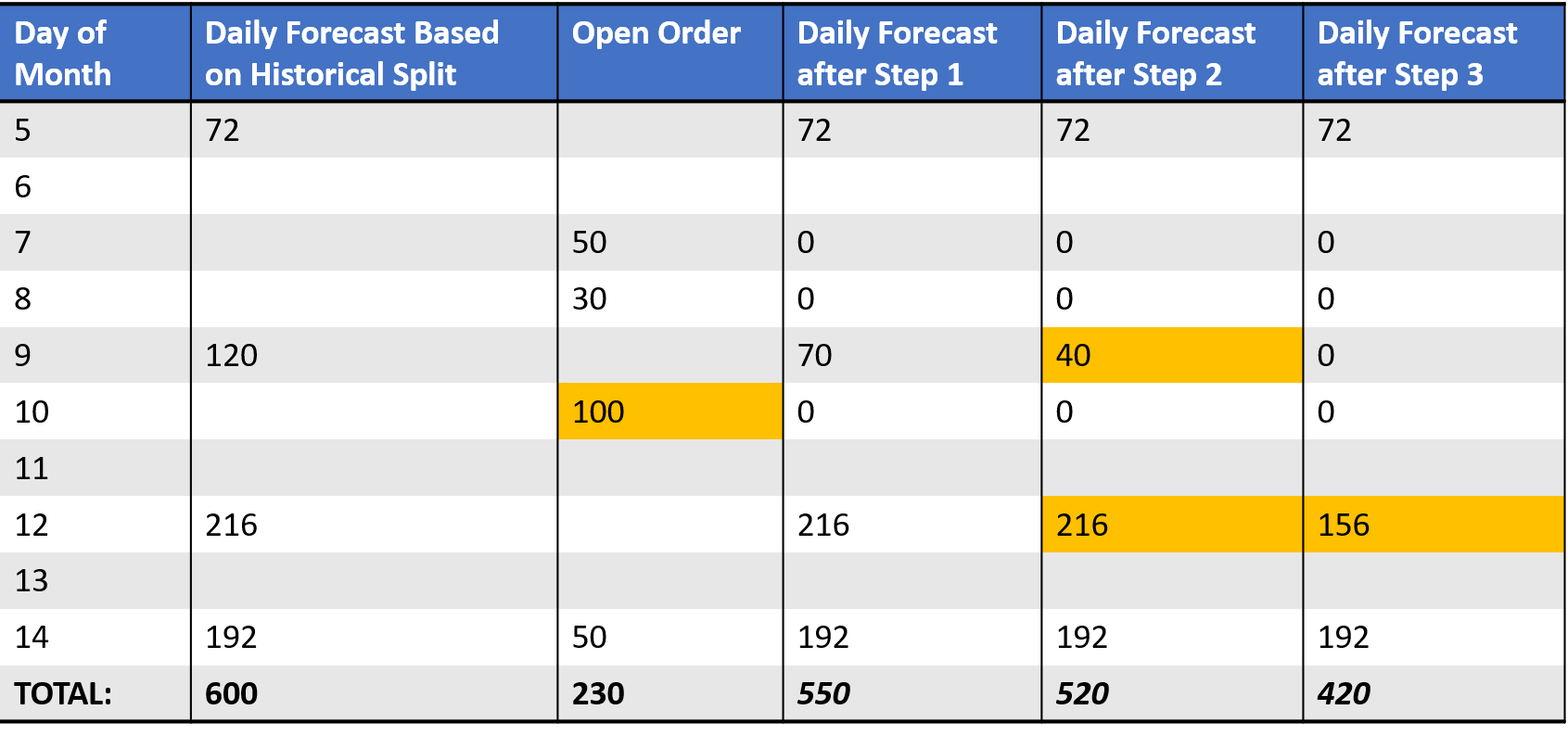
Step 1\ The order of 50 on the 7th checks in the following sequence:
- 7th: no forecast
- 8th: no forecast
- 6th: no forecast
- 9th: 120 forecast available so consume 50 of the 120
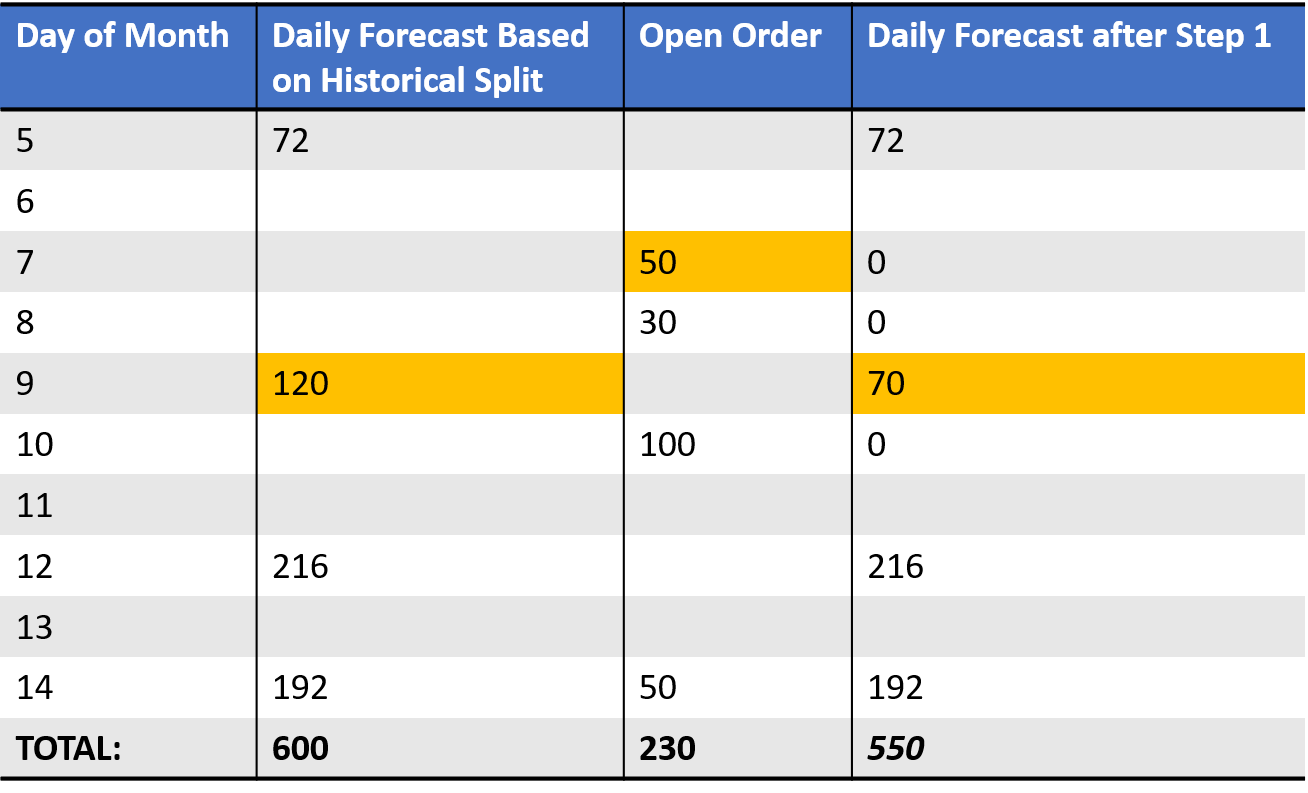
Now that we have orders and forecast in daily buckets, orders can consume forecast from the closest available days.
Step 2\ The order of 30 on the 8th checks in the following sequence:
- 8th: no forecast
- 9th: 70 forecast available so consume 30 of the 70
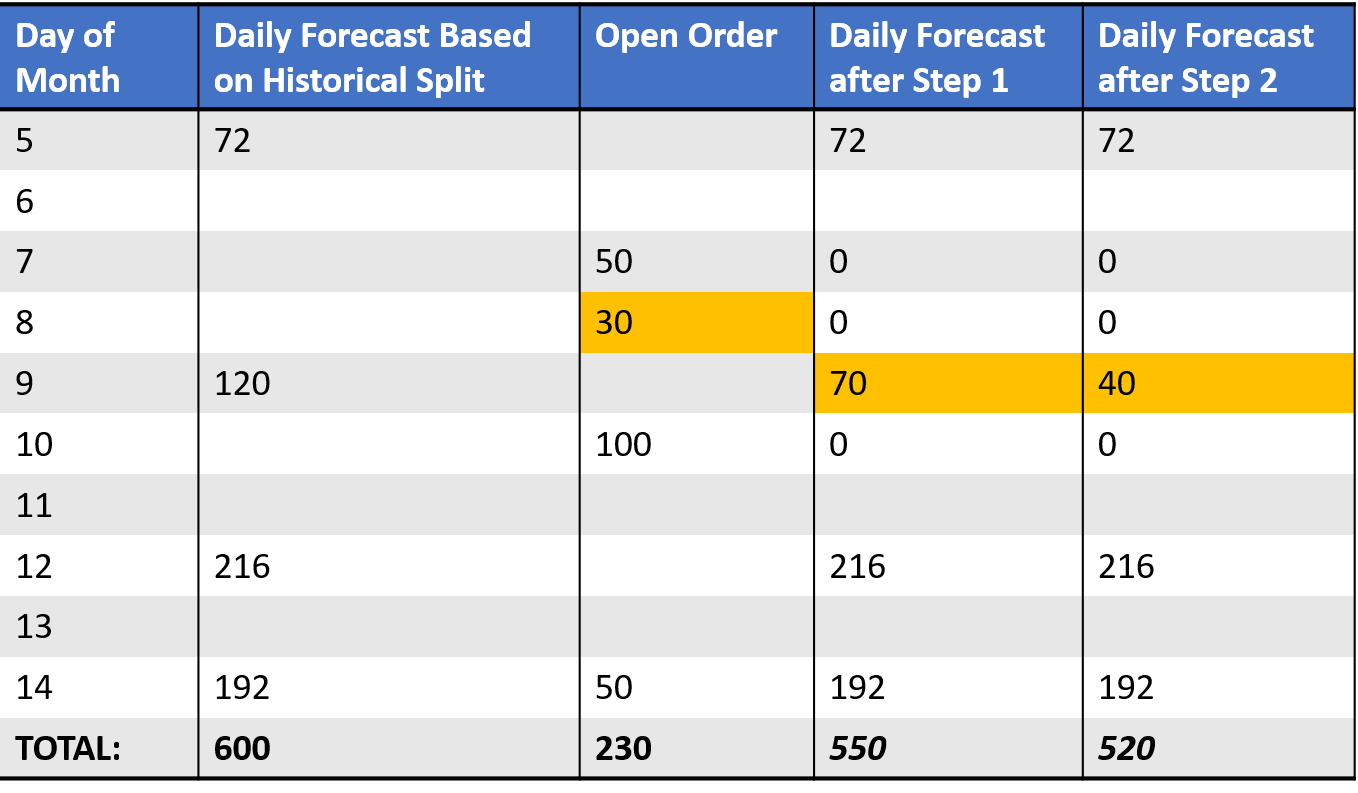
Now that we have orders and forecast in daily buckets, orders can consume forecast from the closest available days.
Step 3\ The order of 100 on the 10th checks in the following sequence:
- 10th: no forecast
- 11th: no forecast
- 9th: 40 forecast available. Consume it and continue search for another 60
- 12th: 216 forecast available to consume 60
Now that we have orders and forecast in daily buckets, orders can consume forecast from the closest available days.
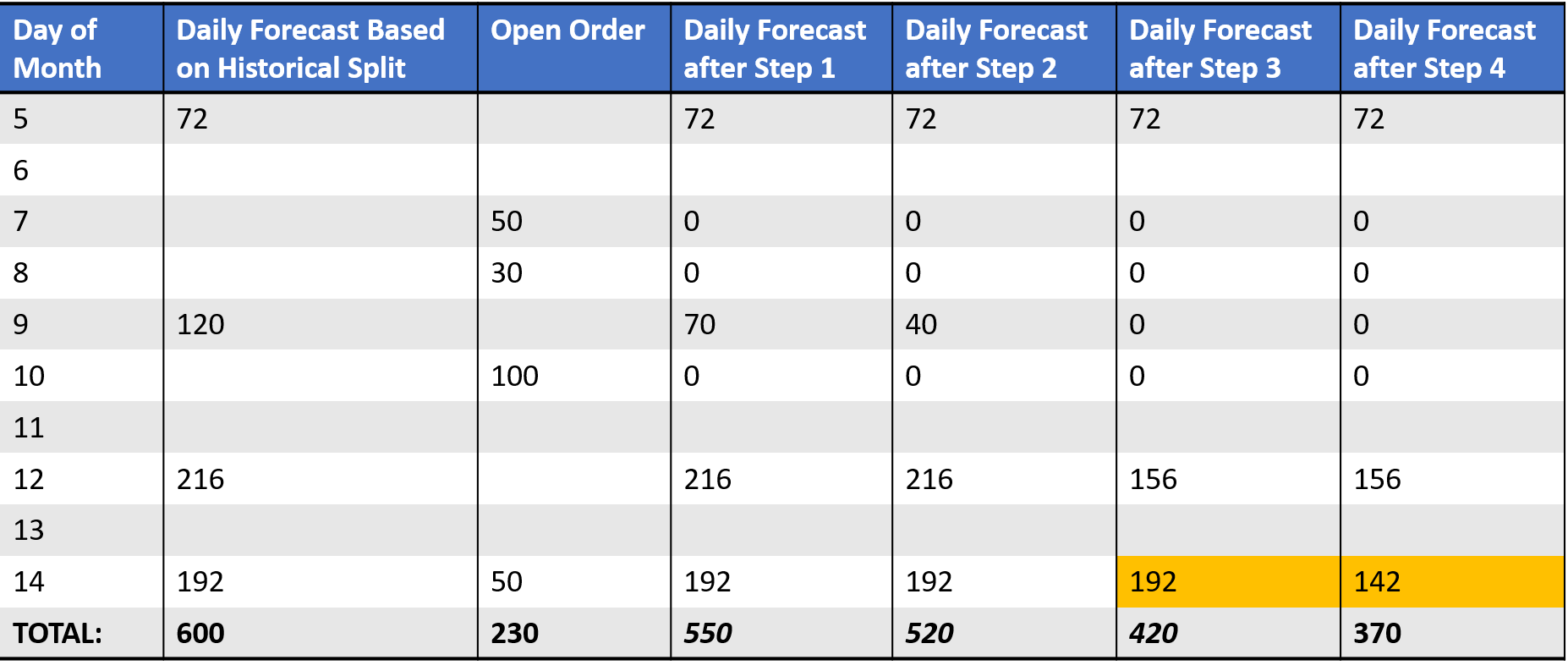
Step 4\ Finally, the order of 50 on the 14th: 14th 192 forecast available, so consume 50.
Removing past forecasts
As we have a forecast in daily buckets, we can decide to remove the net forecast for past days. We can illustrate the impact of not keeping the net forecast for past days by using the same example on the 10th of April:
Daily Netted Forecast
As we are past the 9th, we no longer keep the 72 as net forecast.
Netting Level
The level for netting is crucial and has a big impact on the outcome. That is also why the netting solution can only be validated at the same level.