Definitions
Under definitions you will provide the calculations, exception flag, and composite analysis information needed by the Segmentation component to be able to run the analysis.
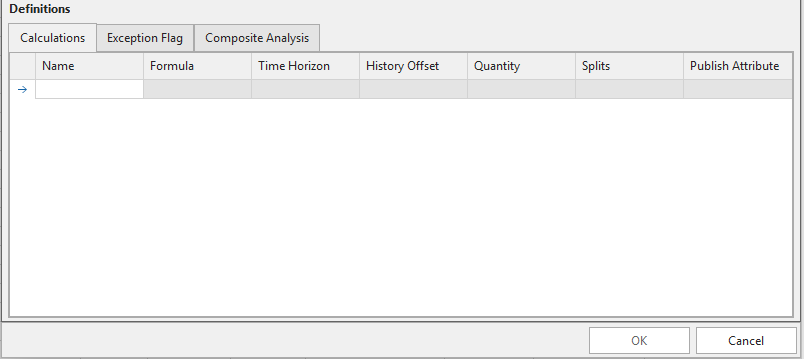
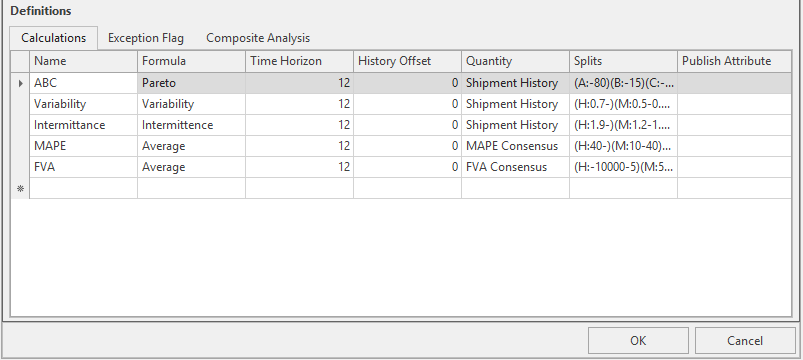
Calculations
Click the asterisk * to create a new line. More than one calculation can be created.
- Name: Type a name for the calculation, this name will display above the pie matrix chart.
- Formula: Formula types are constant to Segmentation.
- Time Horizon: How many months.
- History Offset: Segmentation is typically done for past history data, History Offset is used for future periods.
- Quantity: Quantity types are customized by Arkieva consultants to user specifications.
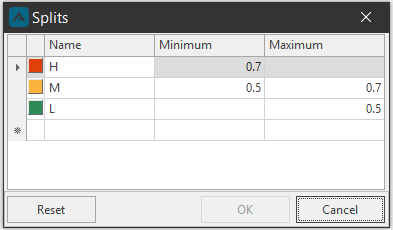
- Splits: Double-click a column cell to create a new line; color boxes are set and cannot be changed (shades of red through to green); Split options depend on the Formula selected.
- Publish Attribute: Built in capability to publish any of the analyses. This allows users to publish analyses that can be consumed supply chain wide, so that plans align with business objectives and key business drivers.
Select a row and press Delete on the keyboard to remove a calculation row.
Average
- Average: Measure aggregates the values over the specified time range as SUM or AVERAGE. Can be used to aggregate different supply chain metrics to track alongside other calculations.
Average Non-Zero
Bumpiness
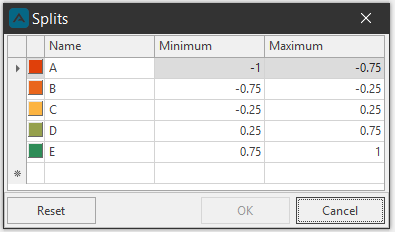
- Measure of Lag 1 Autocorrelation, useful for ordered time series. Bumpiness is linked to how the data points are ordered, while centrality and volatility completely ignore order.
- Splits: (A:-1—0.75)(B:-0.75—0.25)(C:-0.25-0.25)(D:0.25-0.75)(E:0.75-1)
Unstable
(Standard Deviation of non-zero entries / Mean of non-zero (NZ) entries)^2)
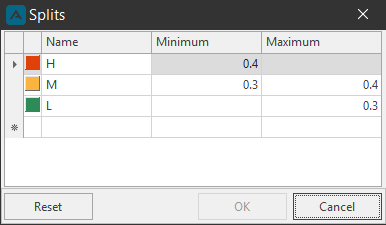
- Cutoff point: 0.3-0.4 (Less is good)
- Series 1: Mean (NZ) = 2.4, STD (NZ) = 1.14; Unstable = 0.23
- Series 2: Mean (NZ) = 22.4, STD (NZ) = 28.43; Unstable = 1.61
Intermittence
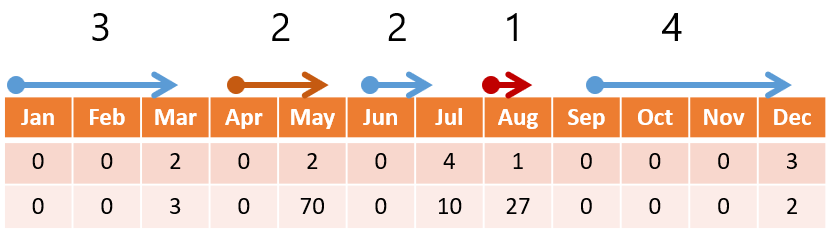
- Average inter-demand interval length.
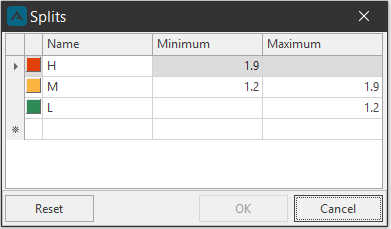
- Cutoff Point 1.34 (Between 1.2 and 1.9); less is better.
- Two consecutive non-zero demand periods lead to an interval of 1.
- Period 0 is not assumed to have demand.
- The time series {0 0 0 0 2 | 0 0 5 | 3} has Inter Demand Intervals of 5,3,1, and Intermittence equals (5+3+1)/3 = 3, where 3 is number of intervals.
- Both series below: (3+2+2+1+4)/5 = 2.4
- Default Splits: (H:1.9-)(M:1.2-1.9)(L:-1.2)
Lumpiness
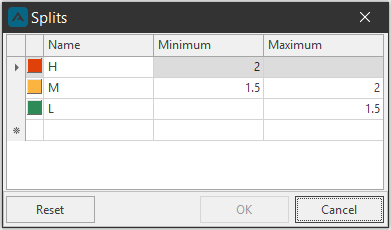
- Lumpiness factor γ= CVS/CVI where CVS = Coefficient of Variation of non-zero volumes, CVI = Coefficient of variation of non-zero intervals, γ \< 1.5, low, good; 1.5 \< γ \< 2, medium, Borderline.γ > 2 High; typically, not forecastable.
- Series 1: CVS = 0.475, CVI = 0.475, γ = 1 (Not Lumpy)
- Series 2: CVS = 1.27, CVI = 0.475, γ = 2.67 (Quite Lumpy)
- Splits: (H:2-)(M:1.5-2)(L:-1.5)
Pareto
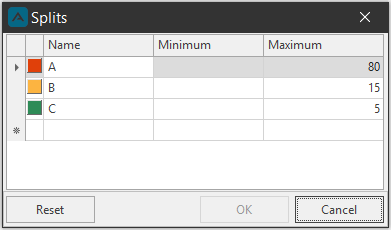
- ABC analysis (Pareto) using the 80/20 rule.
- Default Splits: (A:-80)(B:-15)(C:-5)
Pattern
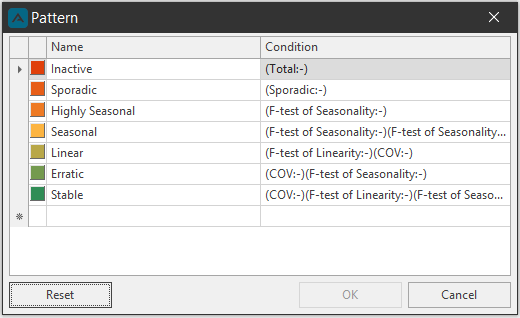
- Uses the stat forecast statistics as inputs, below is the algorithm used for pattern calculation.
- Default Splits: (Inactive: Avg = 0)(Sporadic: [% of 0] Greater than 50 %)(Highly Seasonal: F Test \< 5)(Seasonal: F Test between 5 and 15)(Linear: F Test \< 10 & COV \< 0.4)(Unstable: COV > 0.4 & Not Seasonal)(Stable: COV \< 0.4 & Not Linear & Not Seasonal)
Total
- Aggregates the values over the specified time range as SUM or AVERAGE. The measure can be used to aggregate different supply chain metrics to track alongside the other calculations described above.
Trend Measure
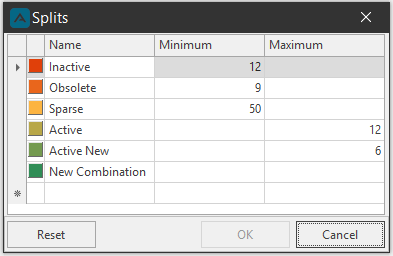
- Inactive: Combinations that have zero values in the past Q time periods (where P \< Q).
- Obsolete: Combinations that have zero values in the past P time periods.
- Sparse: In a time series, for active combinations, if greater than (or equal to) X % of time buckets has zero elements then it is sparse.
- Active: Combinations that have non-zero values in the past N time periods.
- Active New: Combinations that have non-zero values in the past M time periods (where M \< N).
- New Combination: flagged if there are no records in History, no parameters are expected for that label.
- Default Splits: (Inactive:12-)(Obsolete:9-)(Sparse:50-)(Active:-12)(Active New:-6)(New Combination:)
Variability
- Coefficient of Variation: Standard Deviation / Mean.
- Cutoff point: 0.5-0.7 (Less is good).
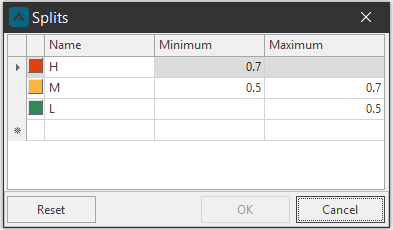
- Default Splits: (H:0.7-)(M:0.5-0.7)(L:-0.5)
History Offset Example
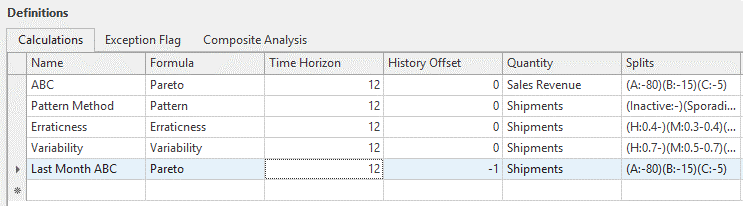
Typically the History offset can be used by inputting a negative value to segment a past date. For instance, -1 would be as if we segment 1 period prior to the current date; typically done in months (or in months -12 to segment if a year in the past).
If the model is by month, and the current period is 05-01-2020, ABC will publish a Pareto calculation using the previous 12 month’s of shipments: 04-01-2019 – 04-01-2020 (as current month is not included). However. Last month ABC will calculate using the previous 12 month’s of data offset by 1 month into the past: 03-01-2019 – 03-01-2020.
Splits Column Formulas
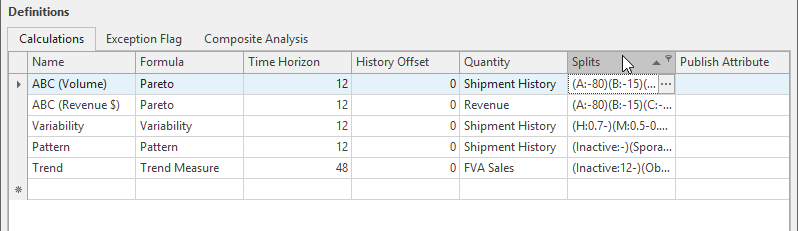
The Splits column is tied to the Pareto ABC rule. The default Pareto percentages are 80, 15, and 5%, however you can edit the ABC split for each calculation however you wish, as long as the splits add up to 100%.
Default Splits
- Bumpiness: (A:-1—0.75)(B:-0.75—0.25)(C:-0.25-0.25)(D:0.25-0.75)(E:0.75-1)
- Intermittence: (H:1.9-)(M:1.2-1.9)(L:-1.2)
- Lumpiness: (H:2-)(M:1.5-2)(L:-1.5)
- Pareto: (A:-80)(B:-15)(C:-5)
- Pattern: (Inactive: Avg = 0)(Sporadic: [% of 0] Greater than 50 %)(Highly Seasonal: F Test \< 5)(Seasonal: F Test between 5 and 15)(Linear: F Test \< 10 & COV \< 0.4)(Unstable: COV > 0.4 & Not Seasonal)(Stable: COV \< 0.4 & Not Linear & Not Seasonal)
- Trend Measure: (Inactive:12-)(Obsolete:9-)(Sparse:50-)(Active:-12)(Active New:-6)(New Combination:)
- Variability: (H:0.7-)(M:0.5-0.7)(L:-0.5)
Publish Attribute
Segmentation has the built-in capability to save and publish attributes. This allows users to publish attributes that can be consumed supply chain wide, so that plans align with business objectives and key business drivers.
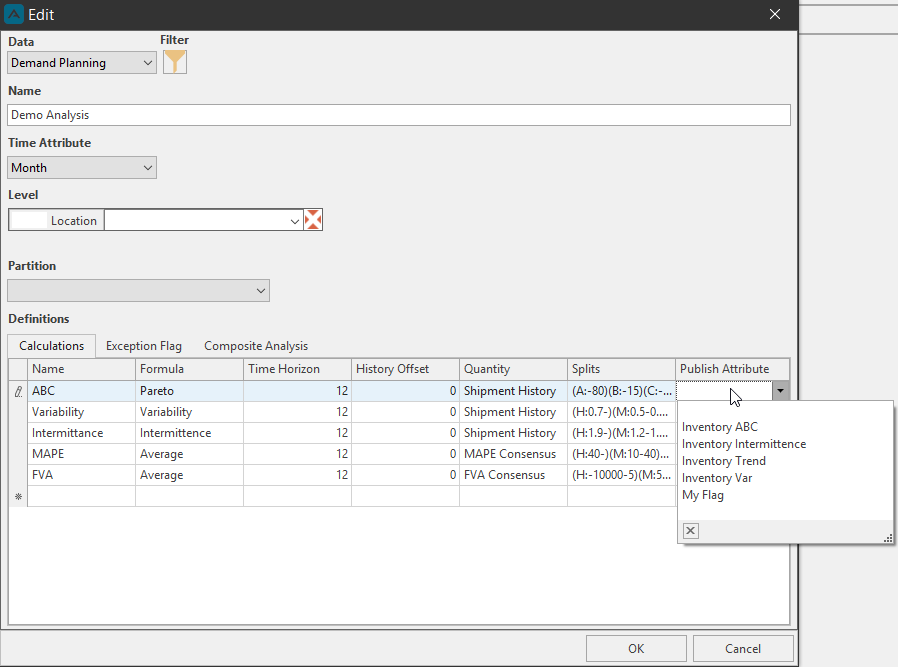
To save a result, select a quantity from the Publish Attribute column in the Calculations tab.
🚧 Warning
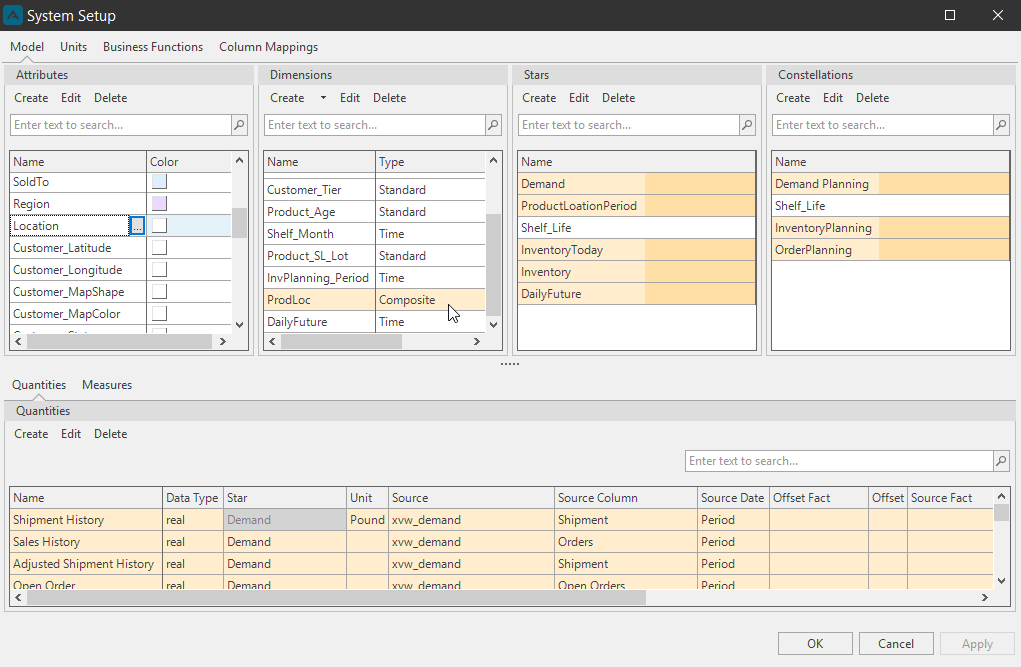
Make sure the Level Attribute (Location) is connected with the selected Quantity (Shipment History), otherwise the Publish Attribute dropdown will not have any options. This information is available from the Setup Manager in the Model tab under the Attribute section and the Quantities section. Attributes and Quantities are connected by Dimensions, Stars, and Constellations.
The Publish Attribute also needs to be linked to a Composite Dimension in the Setup Manager for it to appear in the Publish Attribute dropdown. If an attribute isn’t in a dimension table, there’s no clear path on how to push results into it.
Exception Flag
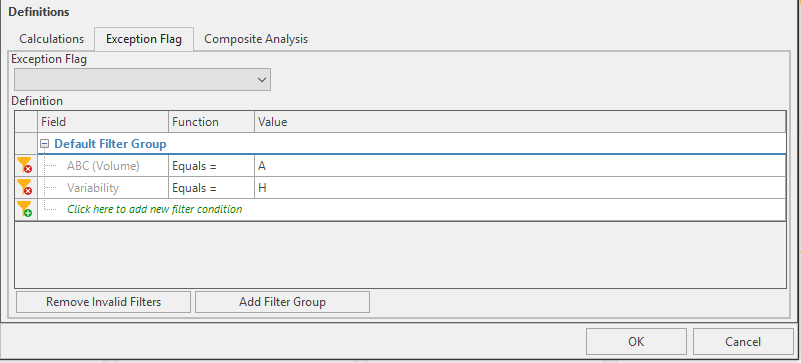
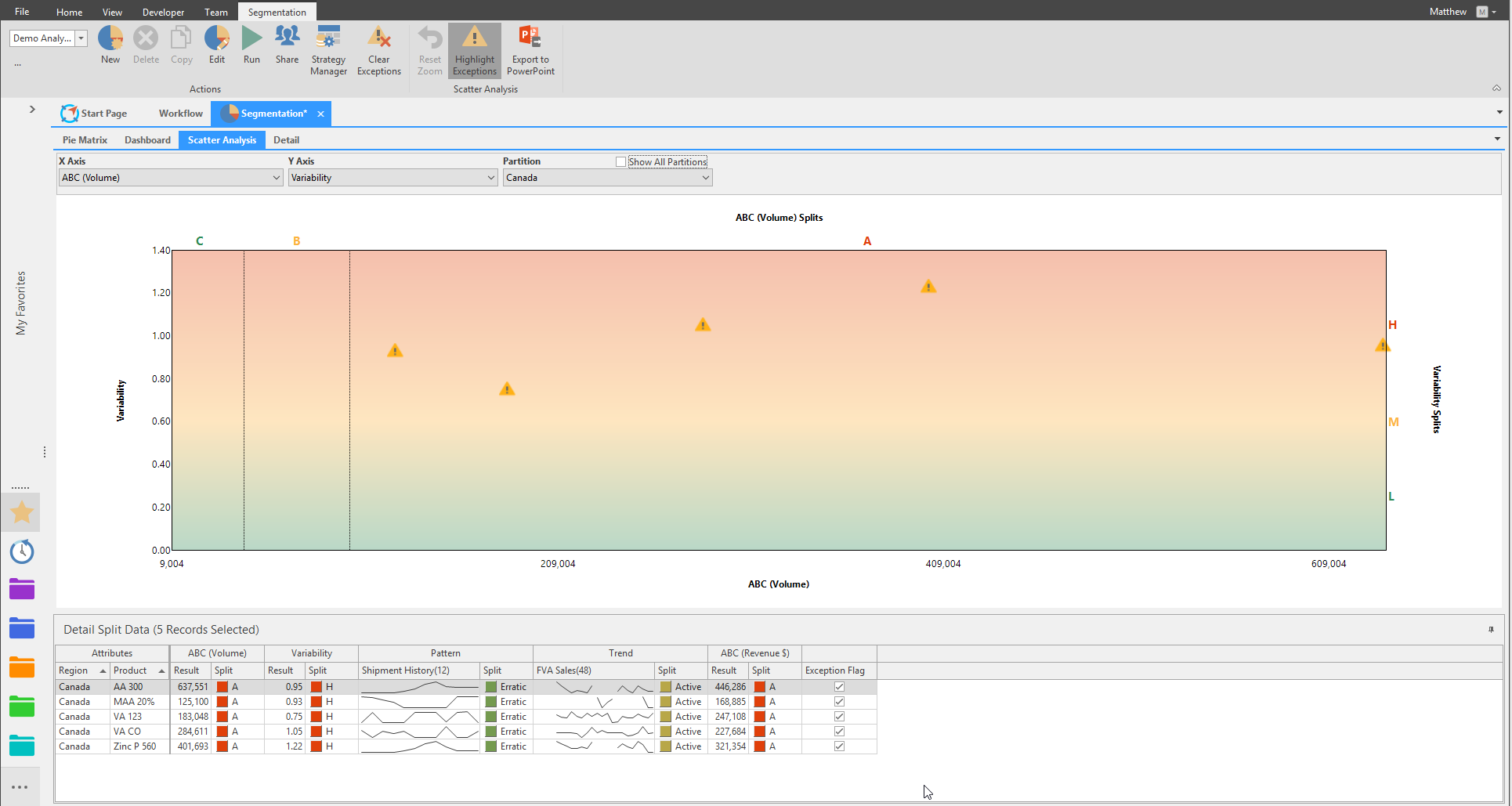
With the exception attribute, users can define different rules by which to flag exceptions in the business. Under the Calculations column select a calculation created in the Calculations tab to be flagged in the Segmentation. More than one Calculation can be flagged as an exception. The calculation can be flagged further by selecting a Splits.
Composite Analysis
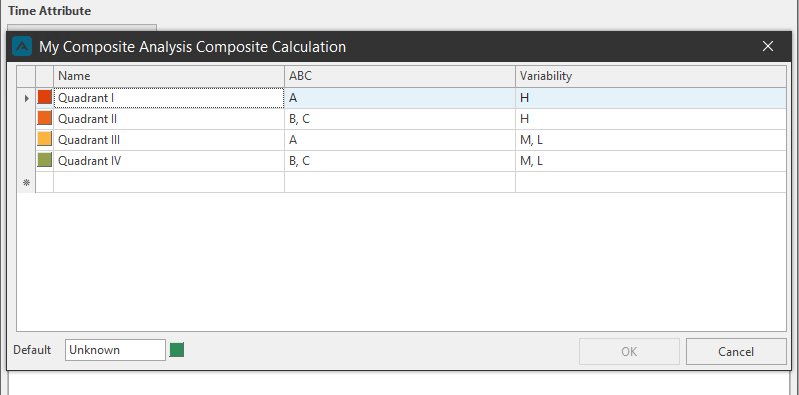
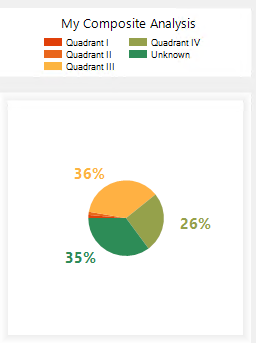
Composite Analysis allows combining multiple calculation analysis types, a pop-up composite analysis dialog populates calculation names as columns.
{`
`}
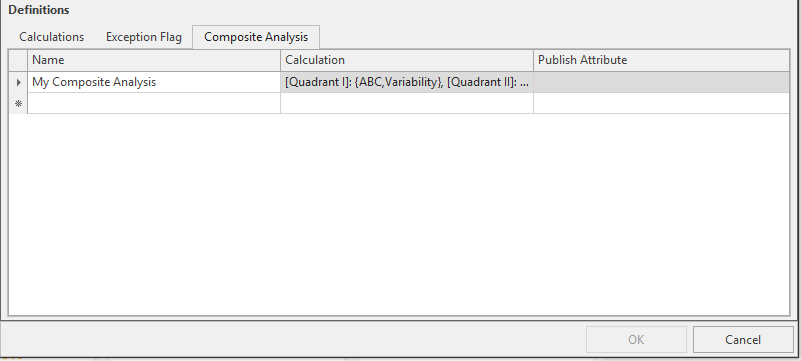
Click the ellipses button under the Calculation column to launch the Composite Calculation window.

Related Articles
Inventory Definitions
Basic Definitions Standard Deviation Used to quantify the amount of variation of a set of data values from its mean. Where,\ σ = Standard Deviation\ Xi = Data observations\ µ = Mean of Xi observations\ N = Number of observations if number of ...Segmentation
Introduction ? Ignore Leading Zeroes Segmentation calculations always ignore leading zeroes. Businesses strive to stay competitive in a global, complex and competitive marketplace. Arkieva Segmentation helps organizations make sense of what is ...Insights
The following serves as an introduction of how the Arkieva Insights software can be implemented as part of a multinational’s IT landscape. This is intended for IT project managers that are planning or considering the implementation of Arkieva ...Multiple Regression
Multiple regression is a statistical forecasting technique that uses multiple independent variables to predict the value of a dependent variable. Multiple regression allows for multiple predictor variables. Any prediction of the dependent variable ...Forecast Method Parameters
Each Forecast Method has unique parameters. The following are the definitions for each parameter included in the system: Alpha Affects the estimate of the intercept. Arima ArimaD: Number of times to difference the series. ArimaP: Autoregressive ...