Data Versions
Data Versions define and manage alternative data sets. Business What-Ifs require comparison between alternatives. Each alternative is defined by a set of business rules and a set of data.
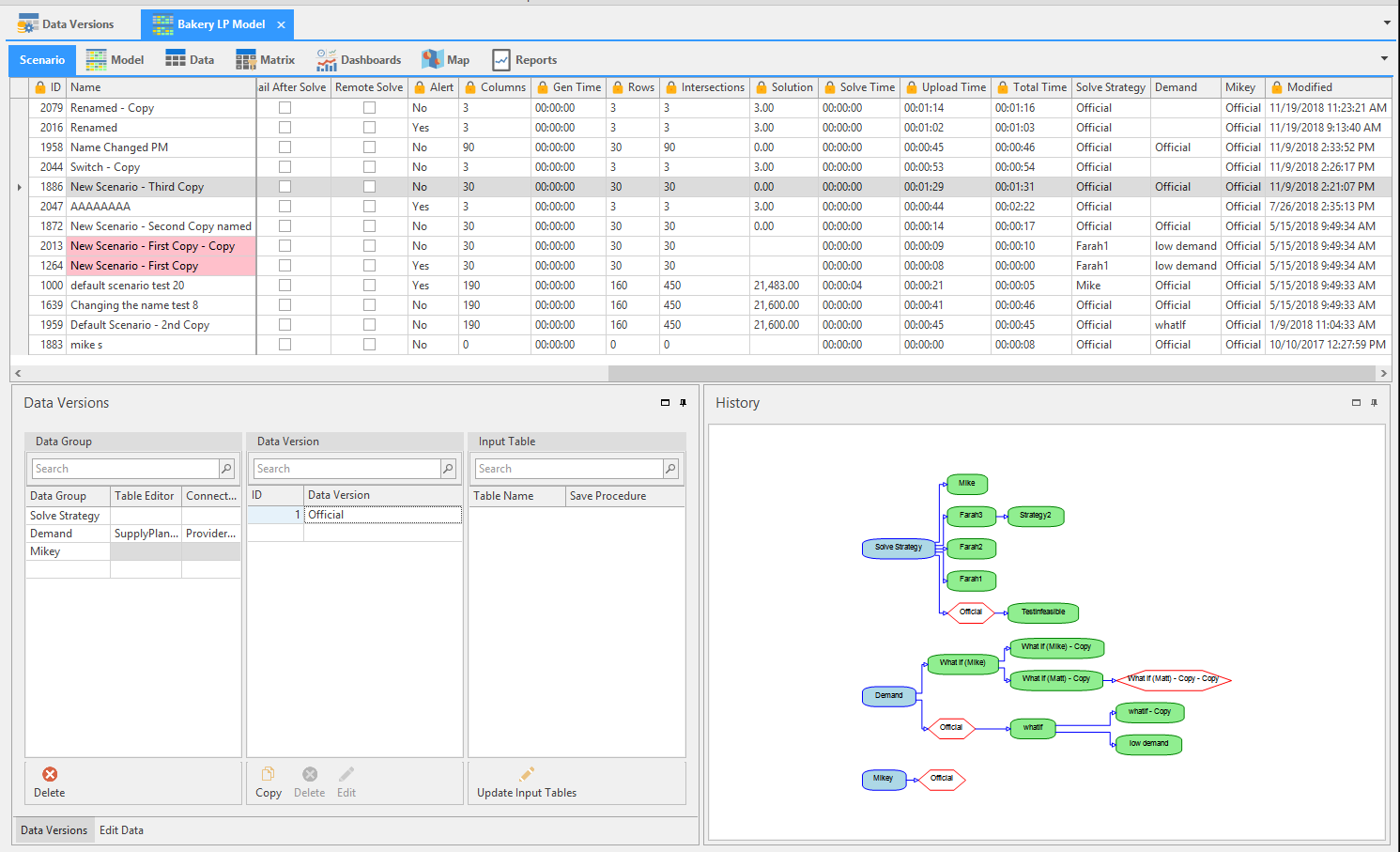
Data Versions can be accessed from the Linear Programming (LP) Model and Production Schedule components, and as it's own component.
🚧 Caution
In order for data groups to appear in the LP document, you must include it in the list of Supported Documents column, which is configured in the data version component. This will create data groups that will appear in only specified documents and not all documents.
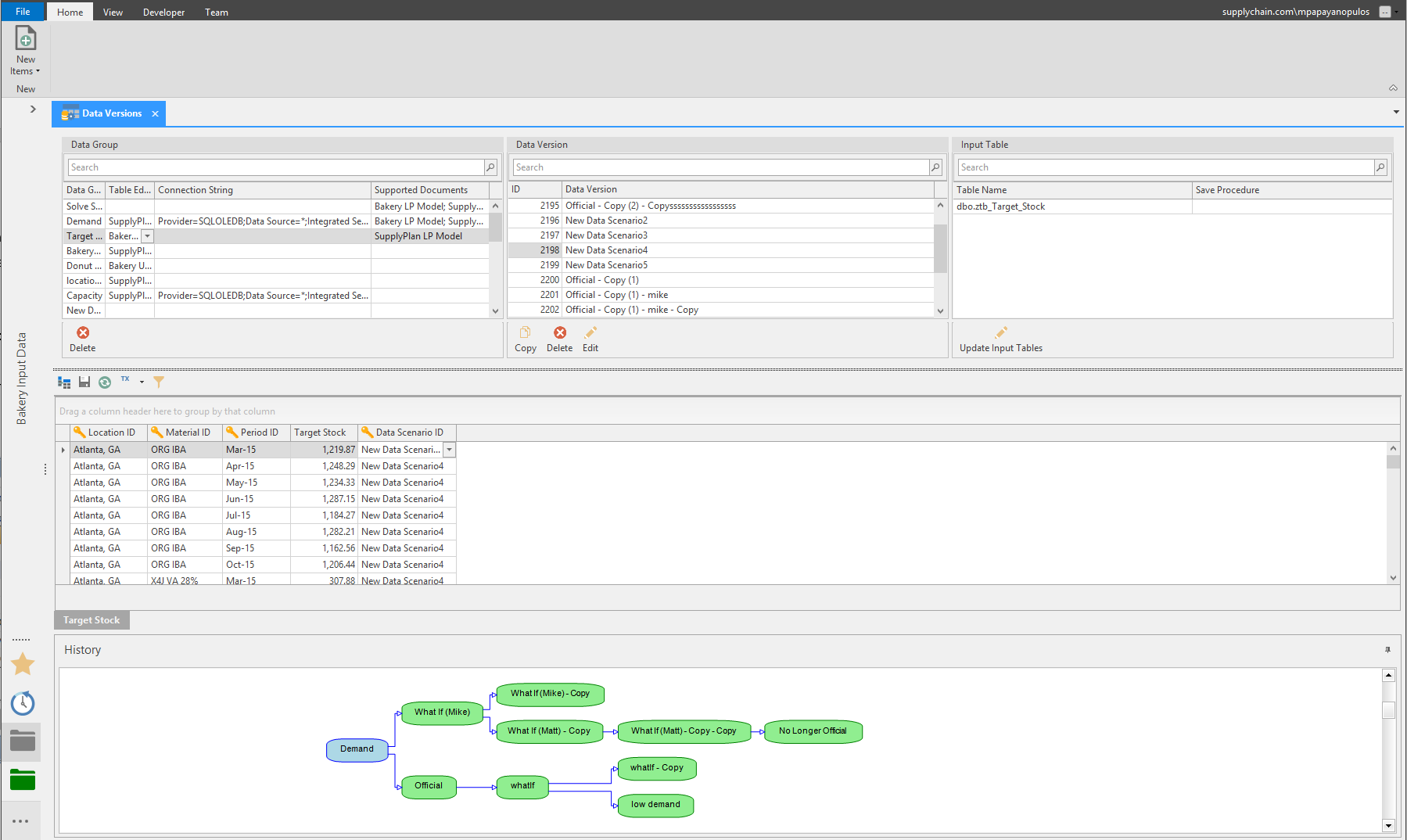
Alternative Data sets are combined into logical groups (Data Groups). Each Data Group consists of one or more data tables (Input Tables). A Data Version is a defined Alternative data sets; Users can create new alternative data sets by copying and editing existing Data Versions.
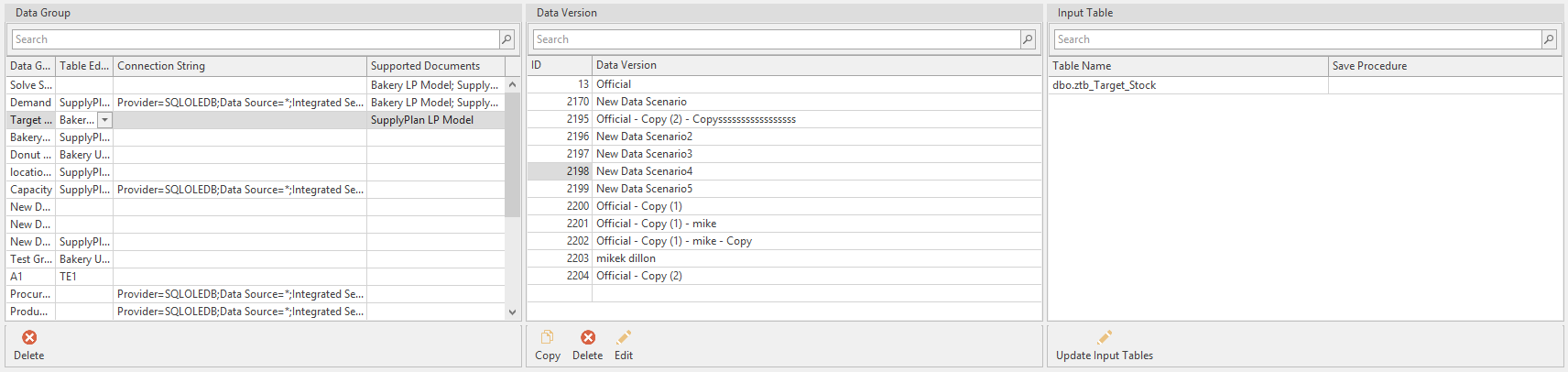
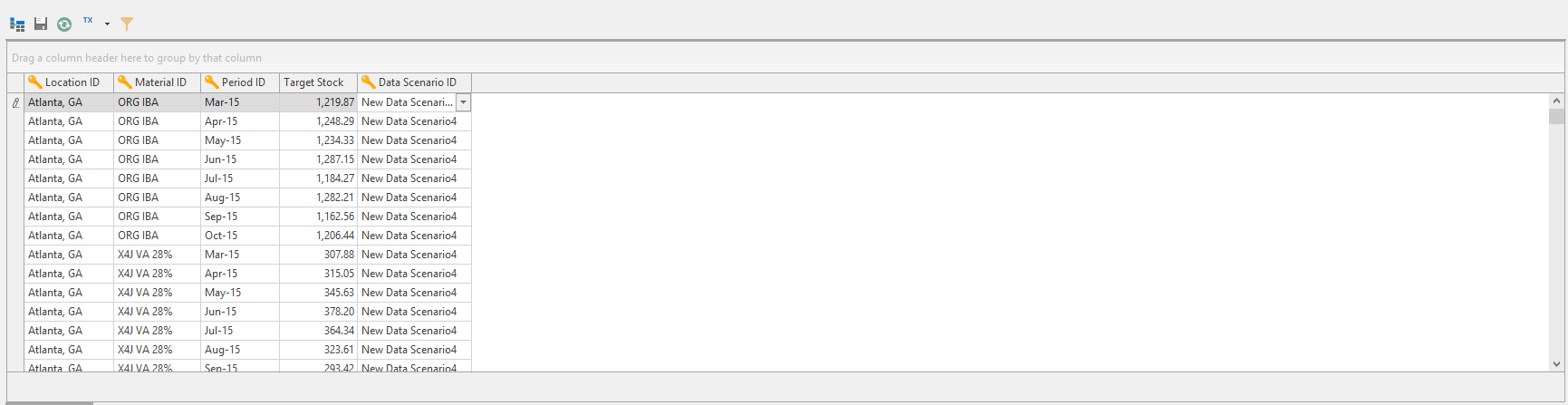
Data from the Input Tables is editable in the Edit Data tab. Saving the changes made to the data will create an alternate data set that can be utilized in an LP Model.
History shows the relationships between the Data Group to the Data Version, and any Alternative data created; i.e. Demand (Data Group) to Official (Data Version) to Low Demand (Alternative Data Set copied and edited from Data Version).
Related Articles
Data Canvas
Introduction Data Canvas is an easy way to edit table and data source data in a Grid and Spreadsheet view. Select the source of the data, Table Editor or Data Source, to create a Data Canvas. A table or a data source must first be created before the ...Data Pipeline
Data Pipeline was created as an Arkieva Add-in Component as an alternative to Data Canvas to better handle importing large Excel files into an Arkieva database in a much shorter time. Data Processing Data Import Selection and Load Import File To ...Filtering Data
Introduction Create filters to drilldown data, place conditions on data, and prioritize viewable data. Various filter options are accessible through the Design, Filter View, and Results View. Below are a few examples of where you can find the Arkieva ...Data Download Process
Data Download process data is downloaded from the ERP and exposed to Arkieva. The Data Download business process loads the ERP data needed in the Supply Planning process, then the data is transformed to the format needed in Arkieva. Figure 1. Process ...Data Anomaly Detection
Why Detect anomalies? Anomaly detection refers to the problem of finding patterns in data that do not conform to expected behavior. In the domain of supply chain management (SCM), anomaly detection is a key factor in making better forecast decisions. ...